Document Branding
Standard Document Branding
Document Branding is standard D365FO functionality for maintaining common branding information that can be used across business documents.
Microsoft originally introduced Document Branding for the modern SSRS report designs to provide flexible branding in the headers and footers of public-facing documents.
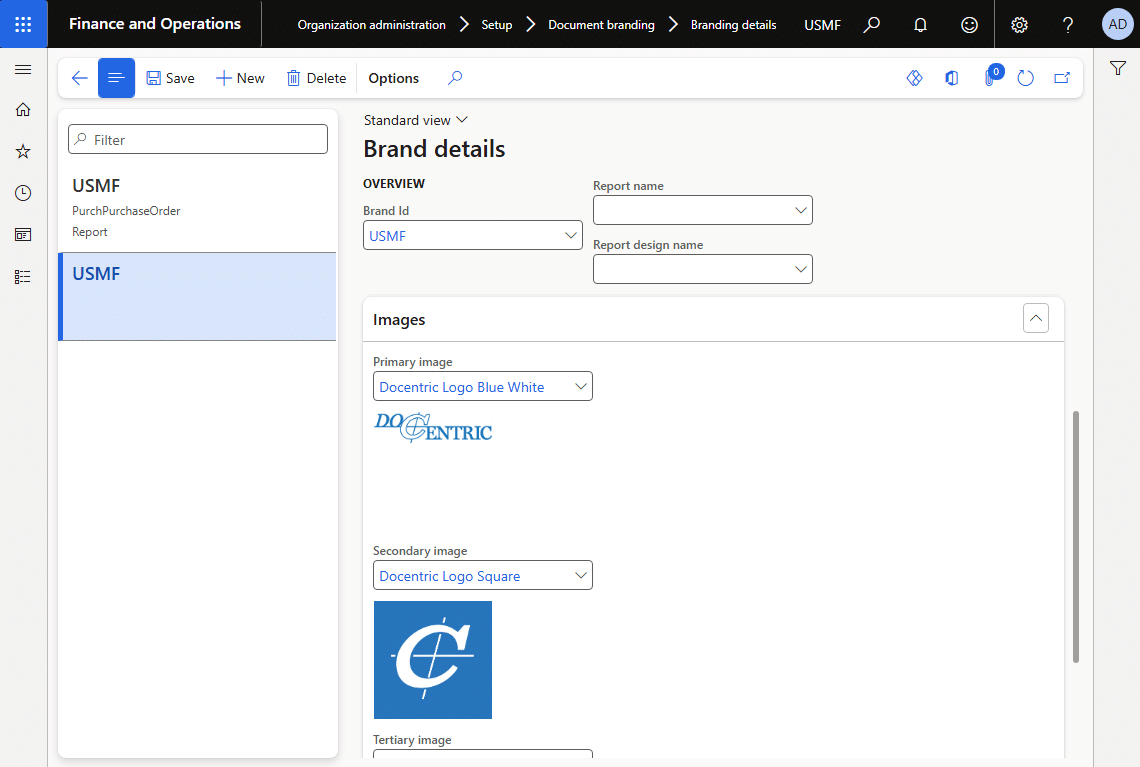
Instead of hardcoding the same company information into every report design, you can maintain branding centrally under:
Organization administration > Setup > Document branding
The standard setup includes:
- Document brands
- Document images
- Branding details
Standard Document Branding in Docentric Reports
Docentric supports the standard D365FO Document Branding functionality.
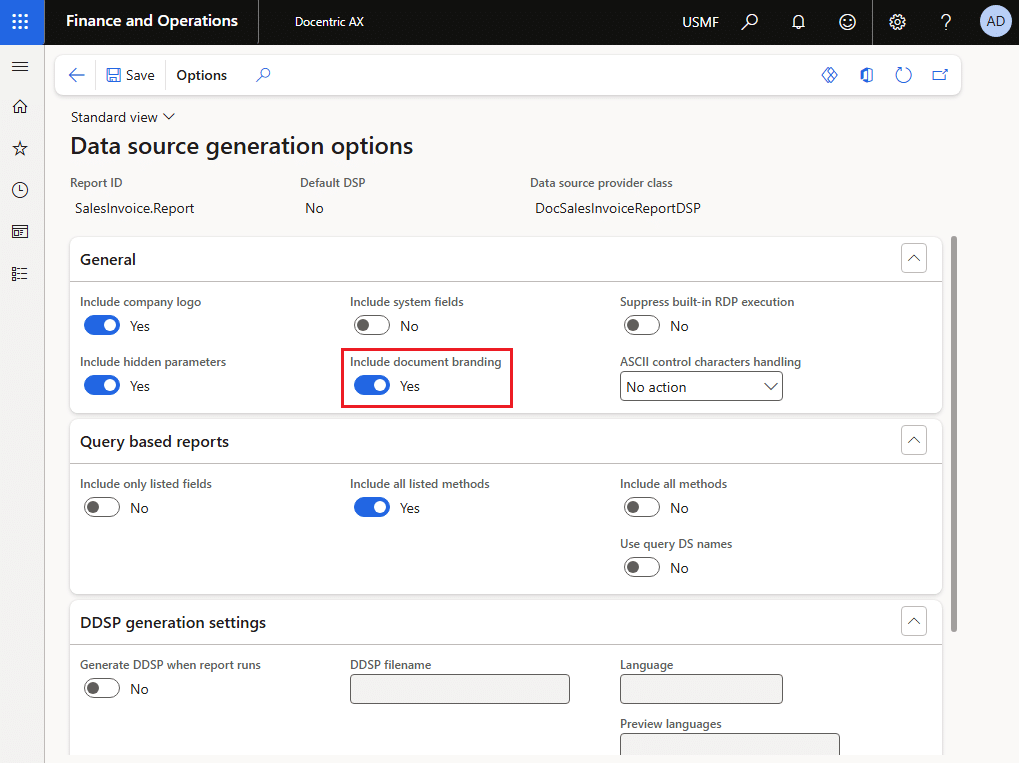
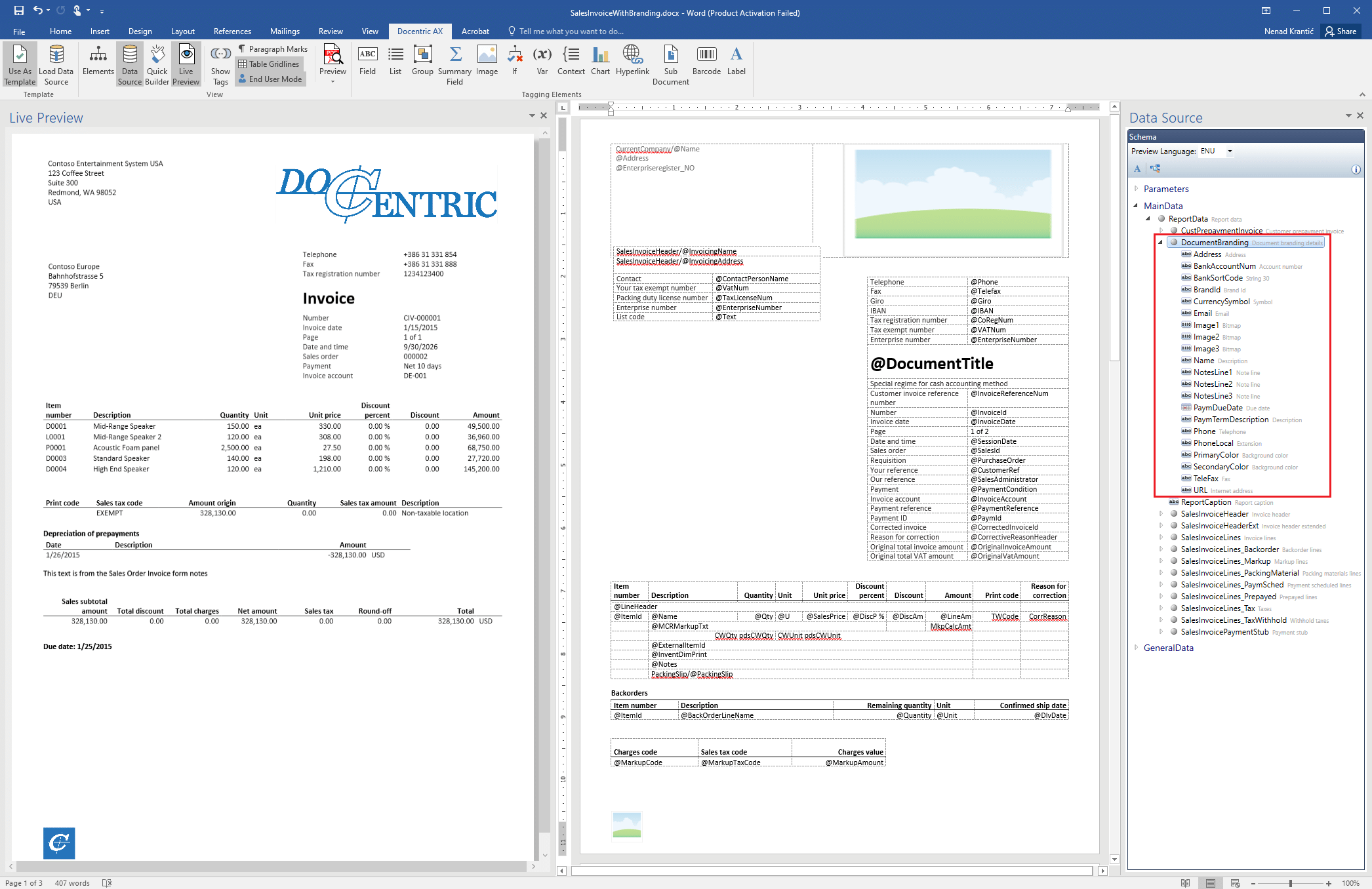
For SSRS-based Docentric reports, Document Branding data can be included in the Docentric report data source and used directly in Docentric templates.
When the branding information changes, the templates do not have to be changed as long as they use the corresponding Document Branding fields.
For ER-based Docentric reports, when an ER Data model and Model mapping are used as the report data source, standard Document Branding data is automatically added through the ER Model mapping based on the SSRS Report Data Provider. It can therefore be used in Docentric templates in the same way as with SSRS-based reports.
Document Branding Improved by Docentric
In future versions, we plan to extend the standard D365FO Document Branding functionality to make Document Branding more powerful and easier to use across Docentric templates.