
 Tags: Attachments, D365FO, Free Edition, Print archive

The features we build at Docentric are not only about document generation. We also want to make everyday work in Dynamics 365 Finance and Operations easier. This is why we've made some journal improvements.
We've added new journal capabilities to the Docentric button group, focused on searching, viewing, and downloading invoice documents directly from journals, without opening records individually.
In this article you’ll learn about:
- Attachment view
- Print archive view and download
With these features you can:
- Retrieve all invoices for a single customer, set of customers, or customers in a group.
- Download multiple invoice PDFs or XML files (e-Invoice) for reconciliation or period closing.
- View the full print archive across multiple invoices without opening records one by one.
- See invoices, free text invoices, and collection letters together in one attachment view.
- Download invoices in bulk for external systems or local archiving.
View attachments from journals
The first improvement focuses on how to access attachments in journals. It is available in the following forms:
- Customer invoice journals
- Project invoices
- Customer open invoices
In the standard, you can only open attachments for one selected record at a time. If you need to review documents across multiple invoices, you have to open each record separately.
The new Attachments button in the Docentric button group removes that limitation. You can select as many documents as you want, and go to Docentric > Attachments in the action pane.
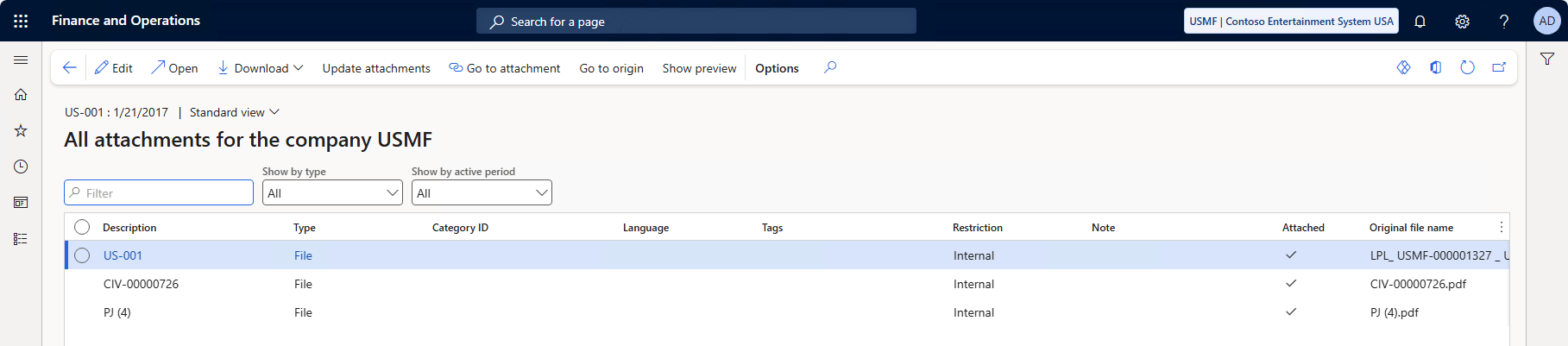
This opens a single attachments view for all selected records, making it easy to review and work with documents in bulk.
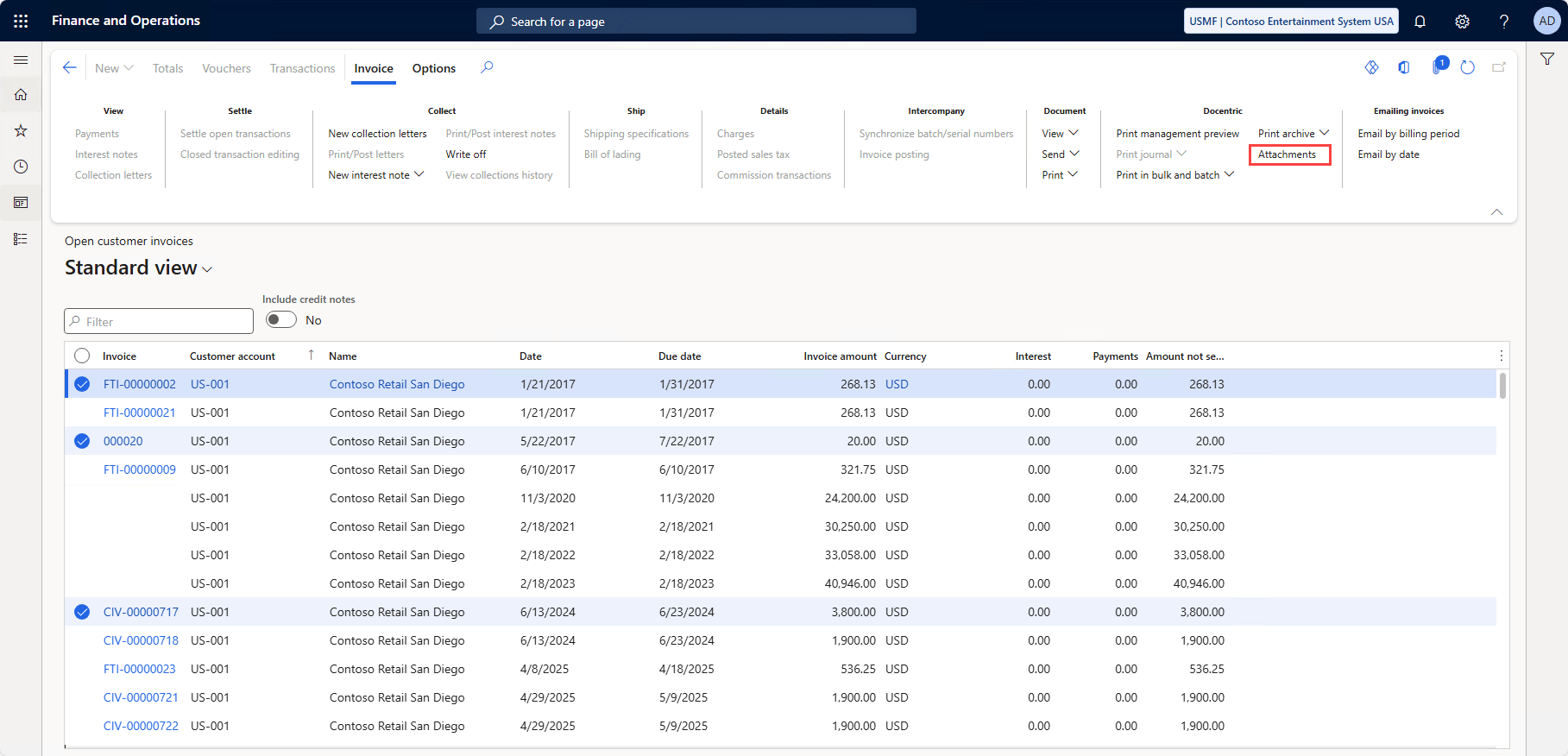
And it’s even better if you use the Open customer invoices form. Here you can see different types of documents, like:
- Sales invoices
- Free text invoices
- Project invoices
- Collection letters
When you open the attachments, you see them for all documents, regardless of the type.
This makes it much easier to search, review, and download supporting documents without switching between records or forms.
Print archive view and download
The second improvement enhances how you work with the Print archive from journals. It’s available on the following forms:
- Customer invoice journals
- Project invoices
- Customer open invoices
- Purchase order confirmations
- Sales order confirmations
- Packing slip journals
- Quotation journals
- Quotation confirmation journals
Previously, you could only open the print archive for one record at a time. With the Print archive options in the Docentric button group, you can work with the print archive across multiple selected journal lines.
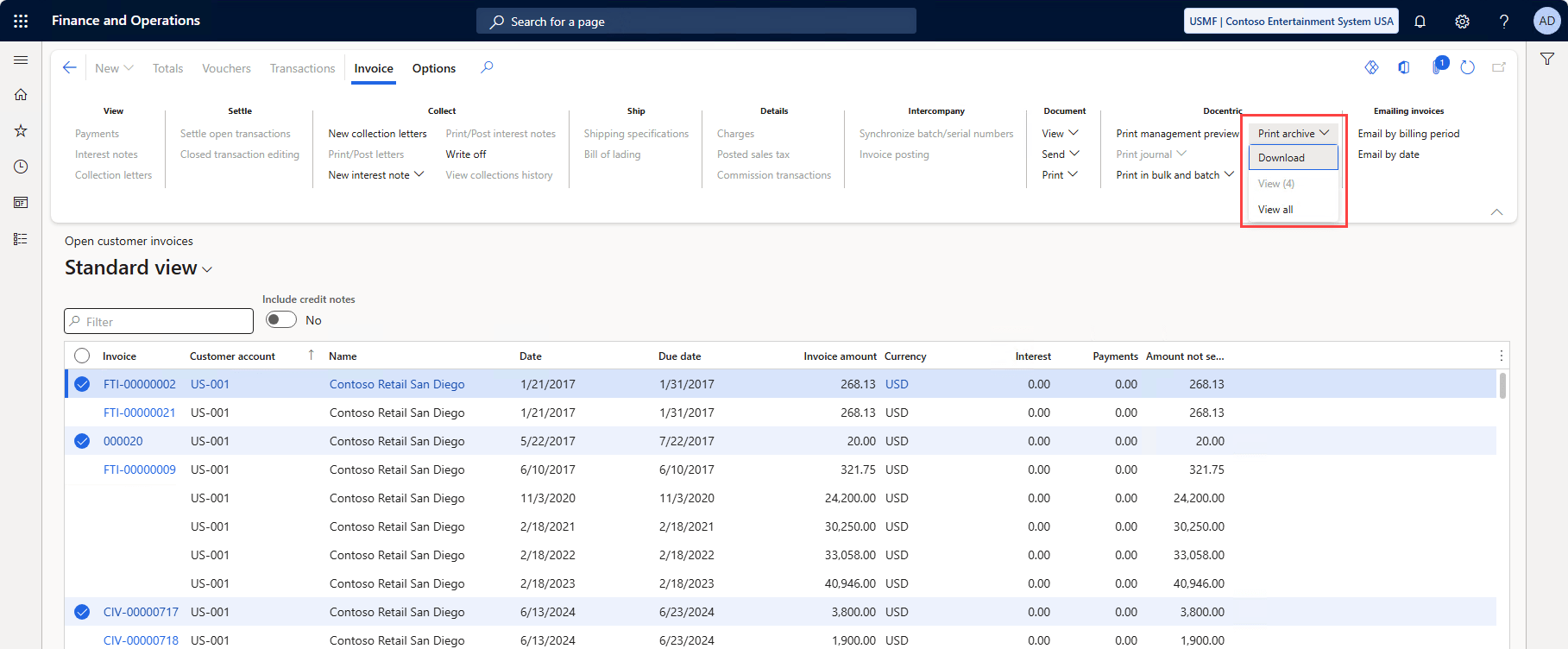
After selecting one or more records, go to Docentric > Print archive in the action pane, and you have two options:
- Download: downloads a ZIP file with the selected records’ print archive documents.
- View all: opens the related print archive records.
Less clicking, more control
With the new journal attachments and print archive capabilities in Docentric AX Free Edition, working with invoice documents no longer means hunting for files across forms.
You can search, review, and download everything you need directly from journals, whether you’re closing a period, responding to a customer request, or preparing data for audits or external systems.
👉 Download Docentric Free Edition now and start working smarter with journals!