
 Tags: D365FO, Free Edition, Invoice, Print destinations, Print management
Starting with Docentric AX version 3.5.0, you can now print reports directly from common journal forms (such as the Customer invoice journal and Project invoice journals) even without using Dynamics 365 Finance and Operations (D365FO) Print Management.
This article shows how to do exactly that by using the new Print without print management feature available on these forms:
- Customer invoice journal - CustInvoiceJournal
- Open customer invoices - CustOpenInvoicesListPage (available from Docentric AX version 3.5.1)
- Project invoices - ProjInvoiceListPage
- Project invoice journal - ProjInvoiceJournal and ProjInvoiceJournalV2
Why this is useful
When working in D365FO, users often need to:
- Reprint invoices for customers on the fly.
- Use different report templates than the one configured in Print management setup.
- Send documents to different print destinations (Screen, Email, SFTP, Azure Blob storage, Azure Files, SharePoint etc.).
With this new feature, you can do all of that directly from the journal without any additional configuration!
Printing a single journal record without Print management
For this example, we’ll use the Customer invoice journal.
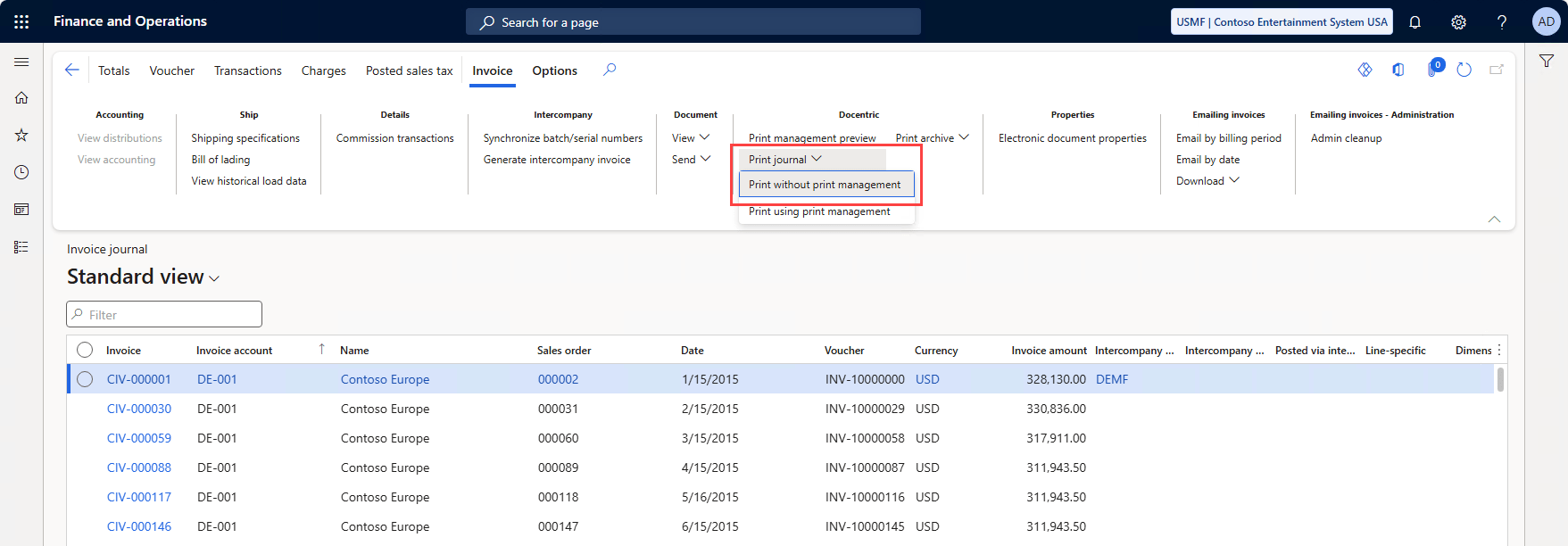
You can open it in Accounts receivable > Inquiries and reports > Invoices > Invoice journal
 .
.
Once opened, look for the Docentric menu and click Print journal. This button is active only when a single record is selected. Then choose Print without print management.
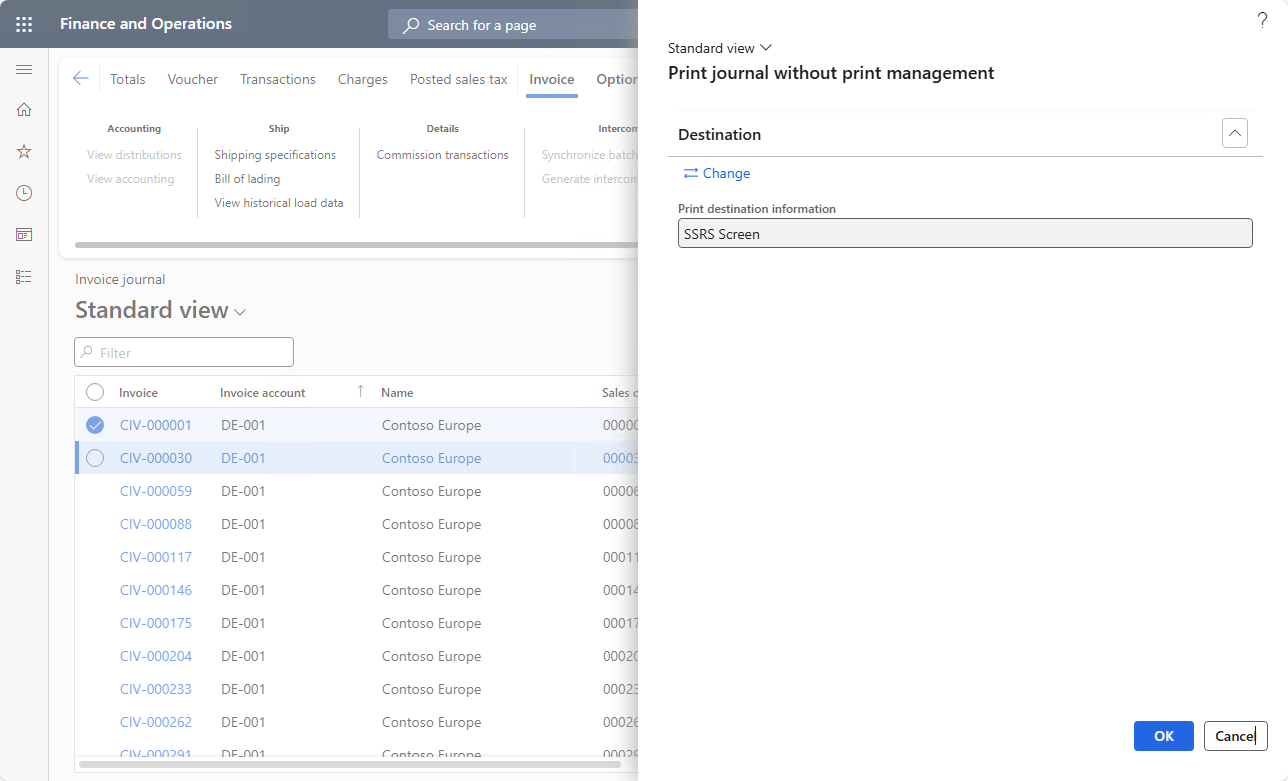
A dialog will appear where you can configure the Print destination settings you would like to use.
You can use either the standard SSRS print destinations or Docentric’s enhanced print destinations for more flexibility.
Printing multiple journal records at once without Print management
Starting with Docentric AX version 3.5.1, you can now print multiple journal records at once without Print management on the Project invoice journal (ProjInvoiceJournal and ProjInvoiceJournalV2) form.
To open the Project invoice journal form, first navigate to the Project management and accounting > Project invoices > Project invoices (ProjInvoiceListPage) form, then click on the Project invoice > View > Details button in the action pane.

Then clear and apply the empty filter on the side to show all records and click on the Invoice journals button to open the grid view.

Now select any number of project invoice records and click on the View > Print without print management button.

On the newly opened dialog, you can choose any Print destination setting you'd like to use.

In this example we have used the Docentric File print destination and sent the two project invoices to the browser for downloading.

Summary
The Print without print management feature gives you a quick, flexible way to print a single invoice directly from the journal, without having to reconfigure the Print management setup.
It’s perfect for testing, troubleshooting, or sending documents to different print destinations, with different report templates.
Download Docentric Free Edition now and start printing smarter!