
 Tags: D365FO, Electronic reporting, Invoice, SSRS

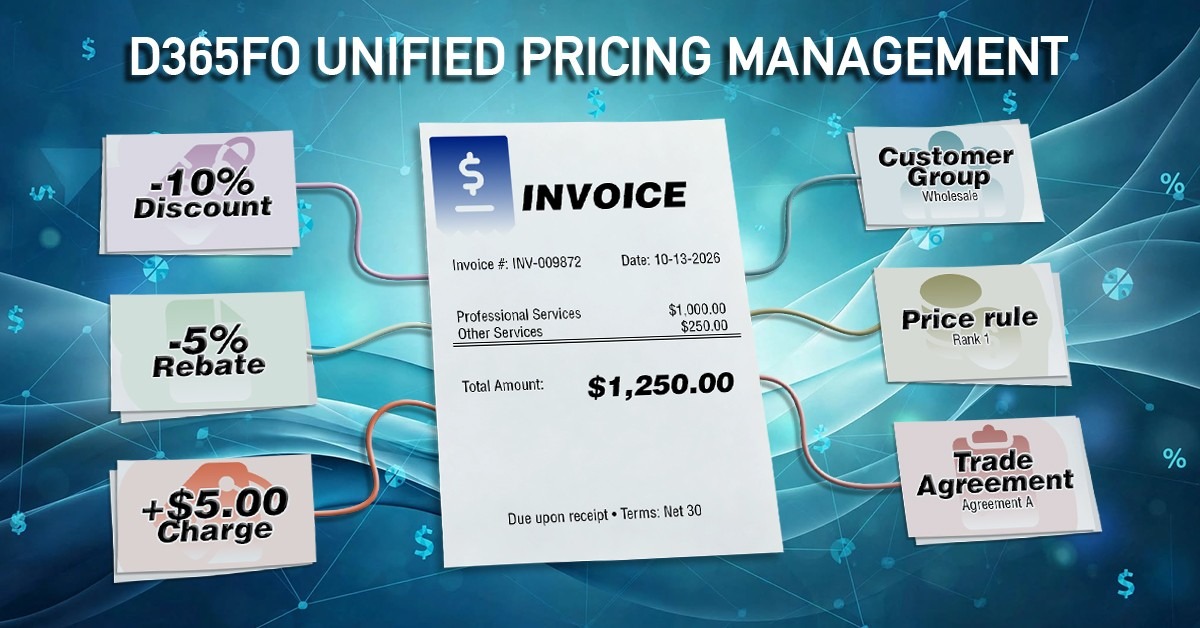
If you're rolling out Unified pricing management (UPM) in Dynamics 365 Finance and Operations (D365FO), you should also review your business documents. Although UPM doesn't change how business documents are generated, whether you use SSRS, Electronic reporting (ER), Docentric, or another reporting solution, it does change how pricing information is calculated and exposed.
Existing reports and document templates often rely on pricing data that was designed around traditional pricing structures. If your organization wants to take advantage of UPM's more detailed pricing capabilities, your reports and templates may need updates to display the additional pricing information.
What pricing information changes when you move to UPM?
Before UPM, many business documents were designed around a relatively simple pricing breakdown, such as:
- sales price
- discount amount
- charges
- final line or invoice total
As a result, reports and document templates often displayed only the final transactional values stored on sales orders or invoices.
UPM introduces a more flexible pricing framework, where multiple pricing rules and components can contribute to the final price. Although the invoicing process still produces the final transaction values, you may want to expose more pricing details on your documents, such as multiple discounts.
From a reporting perspective, the biggest change isn't the reporting technology itself, but the information available to it. If your business wants to display the pricing components behind the final transaction values, you'll typically need to expose additional pricing information and update your document layout accordingly.
UPM brings several pricing elements into play. We'll focus on three of them here (discounts, charges, and rebates), though UPM offers others too. Let's look at each one and what it means for your documents.
How do discounts change on your documents under UPM?
For traditional line and total discounts, the final discount amount will still reduce the total. Under UPM, however, that amount may now be the result of multiple pricing components or pricing rules.
Organizations may choose to break that information down on invoices, showing each discount individually rather than only the final amount. Doing that means extending your report data source or ER model mapping, so the underlying detail is actually available to the template.
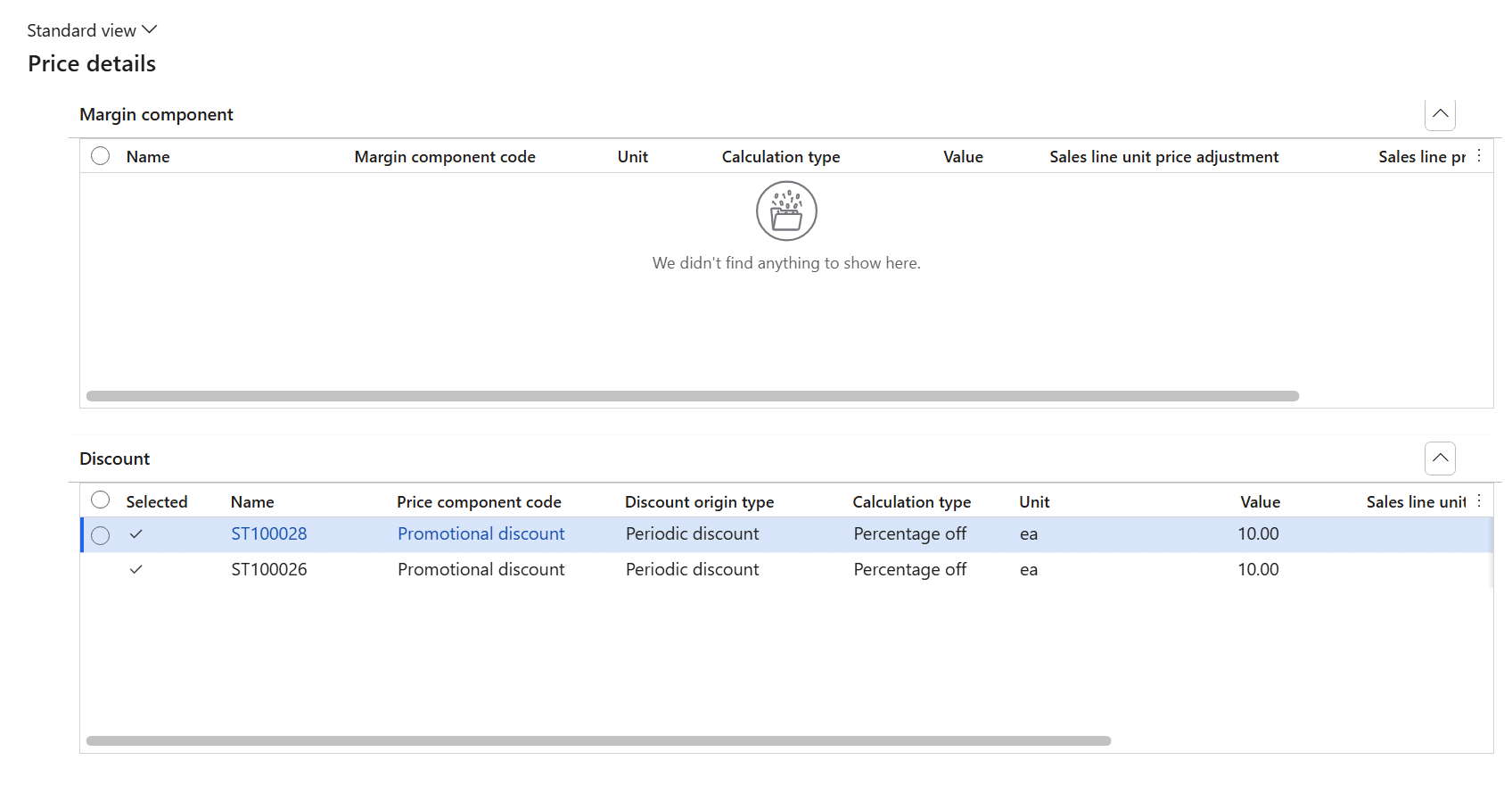
The example shows two promotional discount components applied to a sales line, each contributing 10%; UPM evaluates these components according to their configured calculation and application rules to determine the final discounted line price.
How do charges change on your documents under UPM?
From a reporting perspective, charges still appear as transaction charges. If you want to show individual charge types (for example freight, handling, or insurance), you'll need to make those details available to the report.
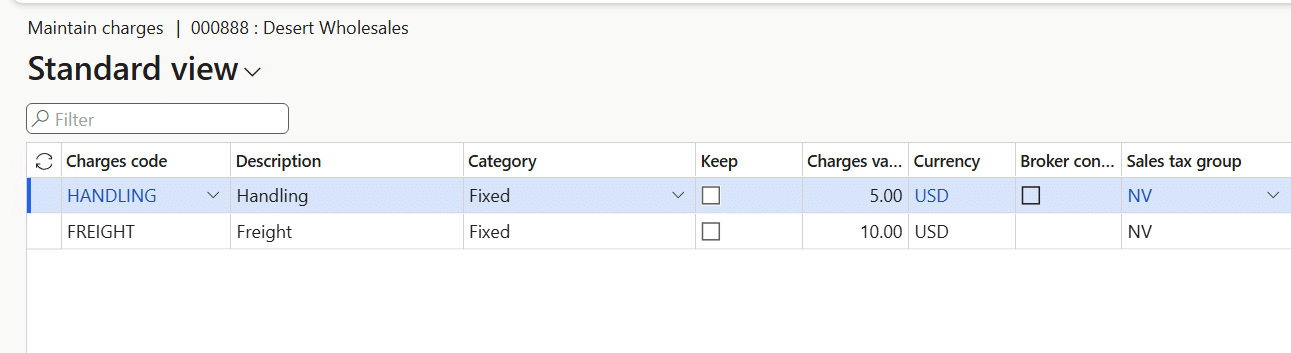
The example shows two fixed charges configured for the customer: a handling charge of 5 USD and a freight charge of 10 USD. When applied to a transaction, these charges increase the transaction total.
How do rebates change on your documents under UPM?
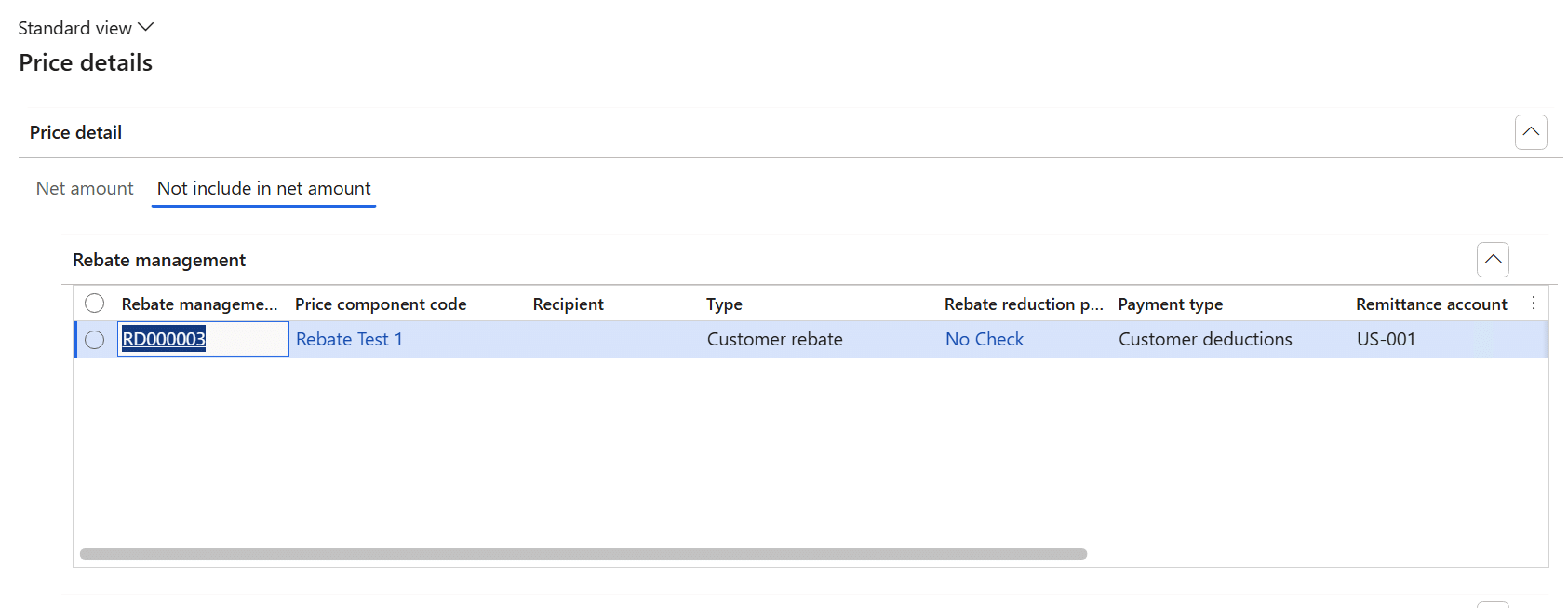
Rebate management rebates usually remain outside customer-facing invoices because they are settled after invoicing based on predefined business conditions. Their primary impact is therefore on analytical and settlement reports rather than invoice layouts.
Discounts, charges and rebates in UPM: how do they compare?
| Type | Applied When | Visible on Invoice | Affects Invoice Total Immediately | Settled Later |
|---|---|---|---|---|
| Discount | At sale | Yes | Yes (reduces) | No |
| Charge | At sale | Yes | Yes (increases) | No |
| Rebate | After conditions | No | No | Yes |
The practical impact of UPM depends on how your business documents are implemented. The rest of this article explains what typically changes for SSRS reports, Electronic reporting (ER) documents, and Docentric templates.
Does UPM affect SSRS reports in D365FO?
Most standard SSRS reports continue to work because they will still consume finalized transaction values. However, if your business documents need to display more detailed pricing information introduced by UPM, the report's data source may need to be extended.
- Final transactional values are still available through tables such as SalesLine, CustInvoiceTrans and MarkupTrans.
- If you want to expose the pricing components that contributed to those values, you may need to retrieve the additional pricing information from the UPM pricing tables and add it to the report data source.
Does UPM affect Docentric templates built on SSRS?
You might already be using Docentric templates because they offer significantly user-friendlier formatting capabilities for business users and functional consultants. Docentric itself isn't affected by UPM. Because Docentric templates are built on top of the SSRS report, by default they use the data exposed through the underlying SSRS dataset. If additional pricing information is required, it first needs to be made available, either through the SSRS pipeline, or in a more efficient way – through the Docentric data automation framework. Then it can be used in the Docentric template.
If you're using the Docentric SSRS replica for the Sales invoice report, the summarized discount values can be seen in the @DiscPercent and @DiscountAmount fields in the SalesInvoiceLines record of the generated Docentric Data Source Package (DDSP) file.
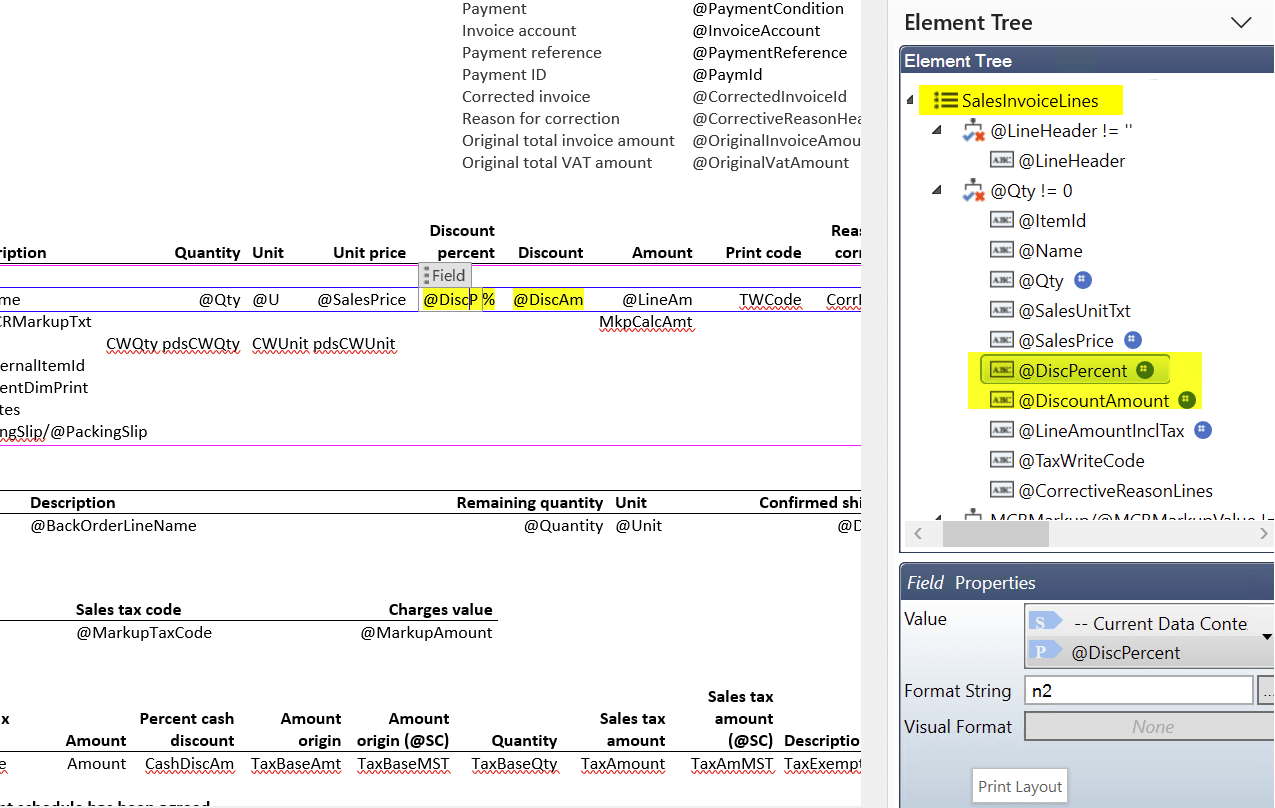
You may decide to redesign your invoice layout to expose more detailed pricing breakdowns, helping customers better understand discounts, charges, and pricing conditions.
While discounts automatically reduce the invoice amount, the individual discounts applied to each line aren't shown on the Sales invoice report by default. Displaying them requires a few customizations in the report logic.
We implemented sample code that includes the pricing details for each Sales invoice line. Please refer to this forum post for more details. You can apply a similar concept to add the charge details for each line.
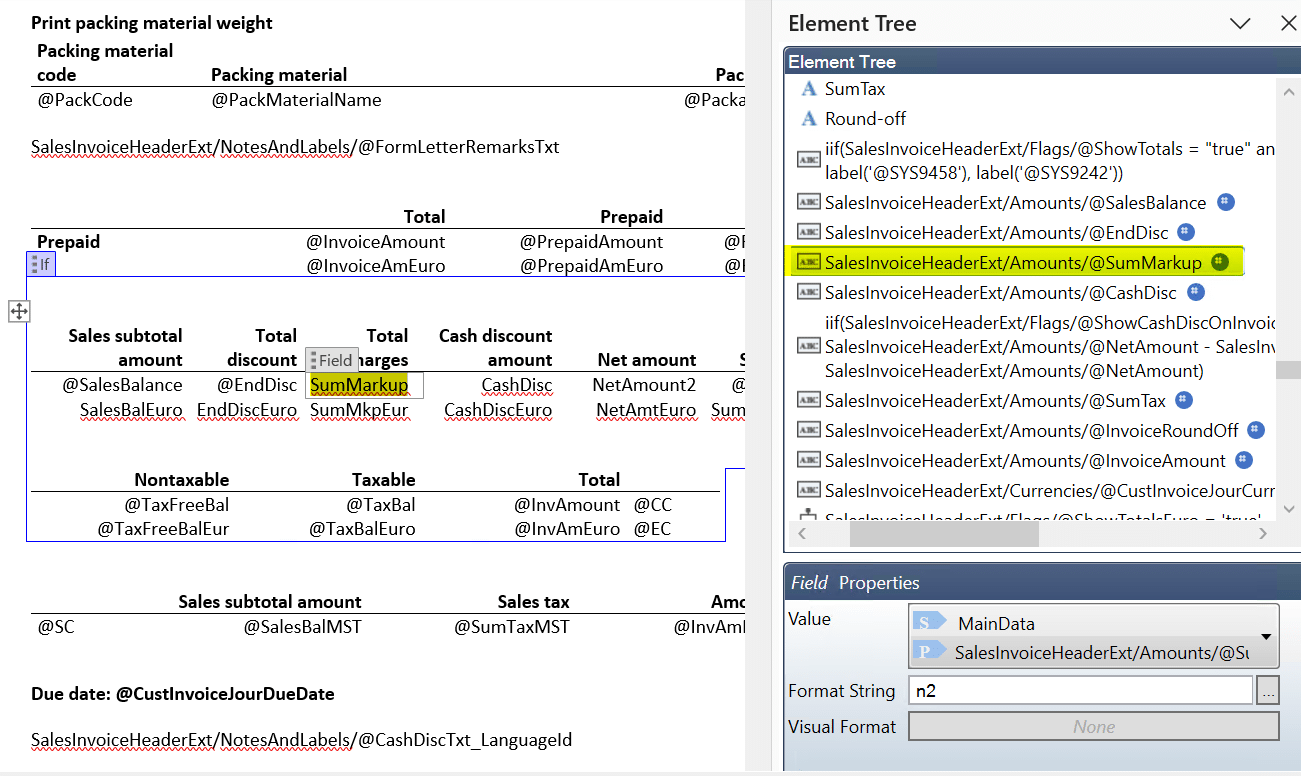
In the same Docentric SSRS replica, the total charge amount can be found in the @SumMarkup field within the SalesInvoiceHeaderExt/Amounts node.
Does UPM affect Electronic reporting (ER) documents in D365FO?
Unlike SSRS reports, ER retrieves document data through configurable data models, model mappings, and format definitions. If additional pricing information introduced by UPM needs to be displayed, existing model mappings or calculated data source fields may need to be extended, so the required values become available in the ER format.
Typical areas you'd need to validate would include ER model mappings and data sources, calculated fields, format bindings, and any custom transformations used to prepare pricing information.
Does UPM affect Docentric templates built on ER/CBD?
If you are using a Docentric CBD (Configurable business documents) replica , the same principle applies. Docentric uses the data exposed by the ER model, so any additional pricing information needs to first be added to the ER data model or mappings before it can be used in the Docentric template.
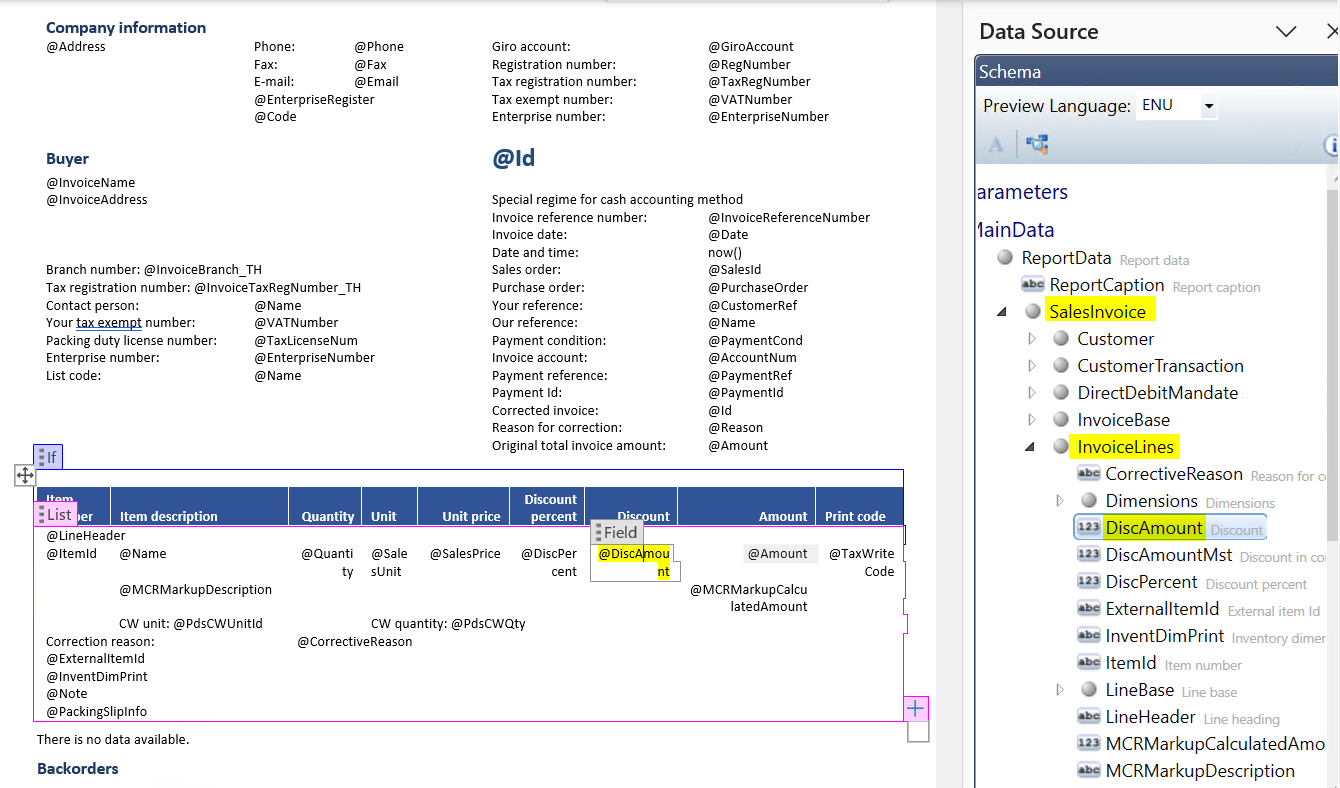
In the Docentric CBD replica for the Sales invoice report, you can see the discount amount in the @DiscAmount field from the SalesInvoice/InvoiceLines node in the report data source.
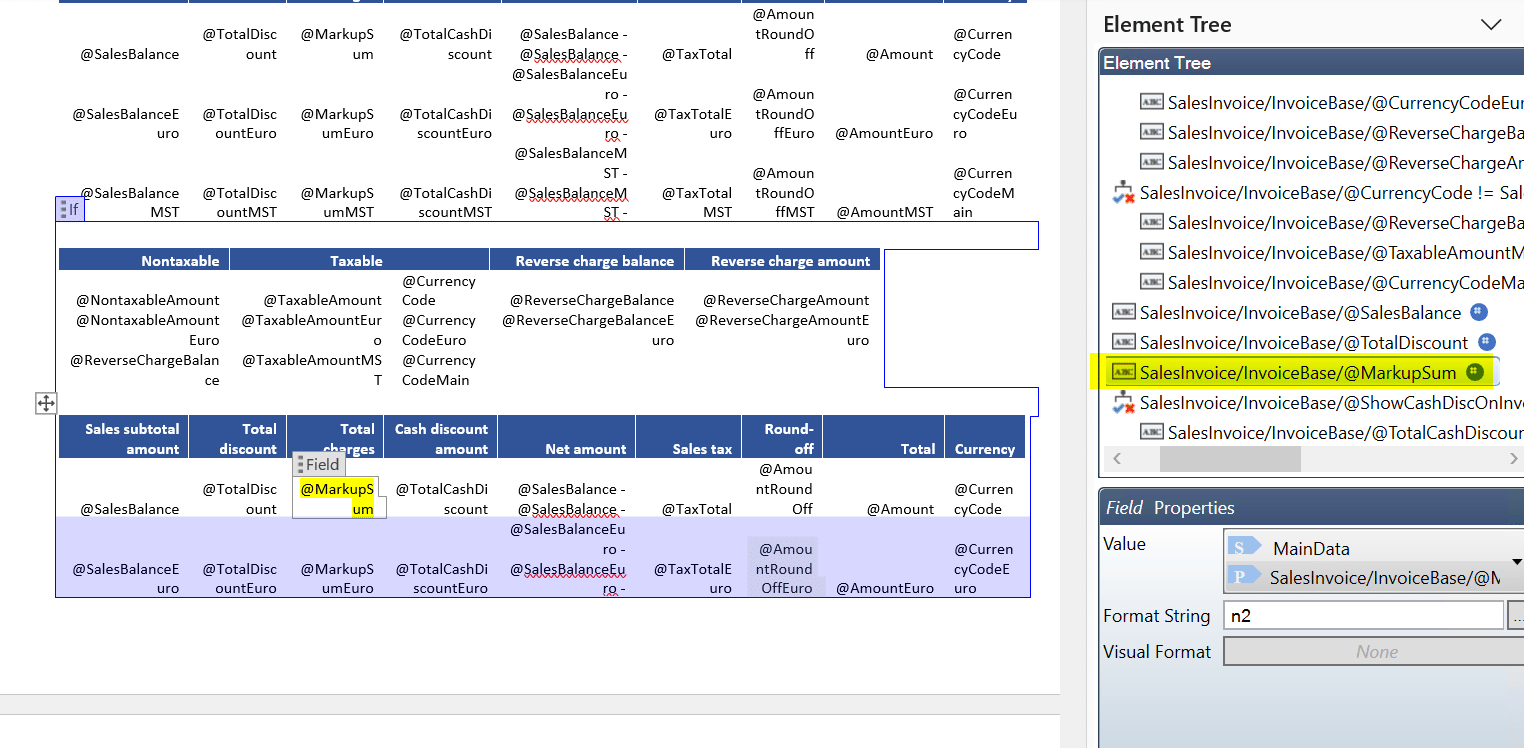
In the same Docentric CBD replica, the total charge amount can be found in the @MarkupSum field from the SalesInvoice/InvoiceBase node.
FAQ
Do I have to switch reporting technology because of UPM?
No. UPM doesn't change the reporting technologies you use. It changes the pricing information available to them. UPM changes the pricing engine, not the document framework, and your business documents continue to use transactional data just as they always have.
Will my existing D365FO invoices still work after I enable UPM?
For most organizations, existing reports continue to work. Most standard SSRS reports continue to work because they will still consume finalized transaction values, and changes are typically only needed if you decide to expose more detailed pricing information.
Are the individual discounts for each line shown on the Docentric Sales invoice report by default?
No. While discounts automatically reduce the invoice amount, the individual discounts applied to each line aren't shown on the Sales invoice report by default and displaying them requires a few customizations in the report logic. Docentric implemented sample code that includes the pricing details for each Sales invoice line, linked in the 'Does UPM affect Docentric templates built on SSRS?' section above. You can apply a similar concept to add the charge details for each line.
Do Rebate management rebates appear on customer invoices?
Rebate management rebates usually remain outside customer-facing invoices because they are settled after invoicing based on predefined business conditions. Their primary impact is therefore on analytical and settlement reports rather than invoice layouts.
Which reports should I review before rolling out UPM?
Custom reports containing pricing-specific logic should be reviewed. You should also review any business document where you want to display the pricing components behind the final transaction values, because those need the additional pricing information exposed first and the document layout updated.