
 Tags: AI, AI agents, Business Skills, D365FO, MCP

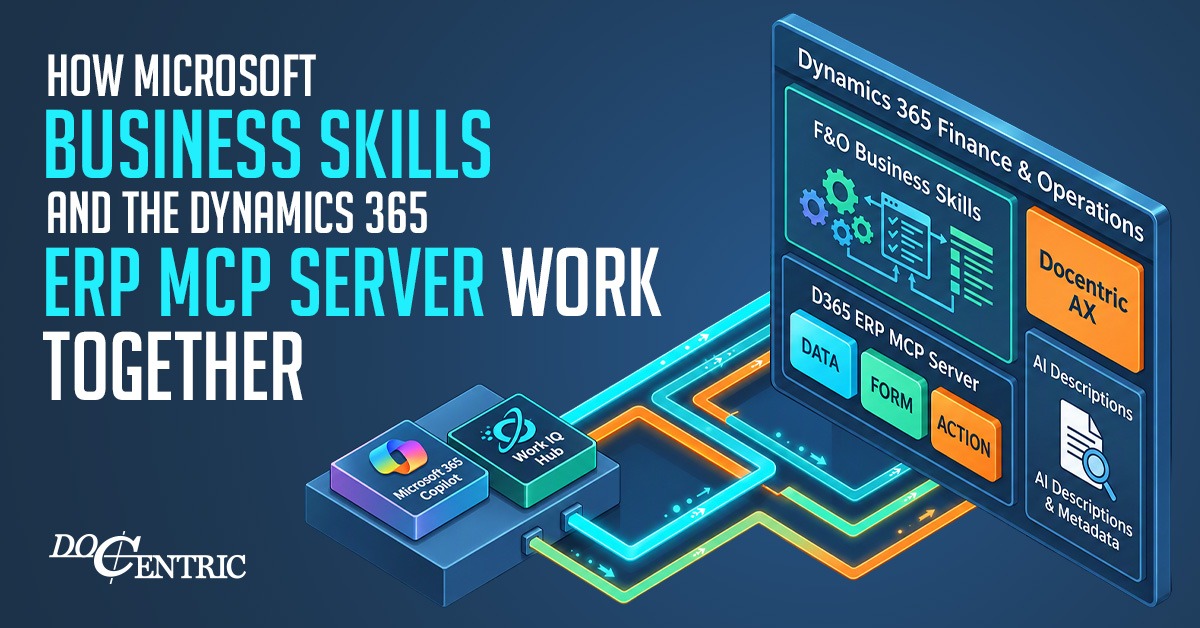
Microsoft Business Skills and the Dynamics 365 ERP MCP server provide two complementary capabilities for AI agents: understanding how to perform a business process and having the tools to execute it in Dynamics 365 Finance and Operations (D365FO).
These capabilities are also part of Microsoft's broader initiative to integrate Dynamics 365 ERP with Work IQ.
Table of Contents
1. Business Skills: Business Knowledge and Instructions
Creating and Managing Business Skills in D365FO
2. Dynamics 365 ERP MCP Server: Data Access and Execution
Discovering D365FO Functionality and Business Skills
AI Descriptions: Helping Agents Understand D365FO Metadata
Extending ERP MCP with Custom AI Tools
3. How They Work Together
4. Where Work IQ Fits
5. Limitations of Business Skills
Reliability and Enforcement
Efficiency Depends on Skill Design
Conclusion
1. Business Skills: Business Knowledge and Instructions
Business Skills are reusable instructions written in natural language that teach AI agents how to perform specific business tasks. Think of them as organizational playbooks that agents can understand and follow.
This article focuses on Business Skills in Dynamics 365 Finance and Operations (D365FO), which are created and managed in D365FO and made available to AI agents through the Dynamics 365 ERP MCP server.
A Business Skill can define:
- Process steps: What the agent should do and in which order.
- Business rules: What conditions to check and how to make decisions.
- Context: Business terminology, explanations, examples, and reference materials.
- Human involvement: When the agent should request approval before proceeding.
These instructions guide agents in selecting and using available tools and APIs to execute business operations.
Creating and Managing Business Skills in D365FO
In D365FO, Business Skills can be created and managed through the Business skills (preview) form under System administration > Setup.
Microsoft's F&O Business Skills framework supports two types of skills:
- Built-in Skills: Defined as AOT artifacts by developers, including Microsoft, implementation partners, ISVs, and customers. They can be packaged and deployed with D365FO solutions.
- Custom Skills: Created directly in the D365FO client by authorized users to describe an organization's specific business processes and procedures in natural language, without requiring deployment.
Custom Business Skills can be created manually, generated from Task Recorder recordings, or developed with the assistance of an AI agent. They can be centrally managed and shared through D365FO security roles and legal-entity settings.
Once activated, Business Skills become available to authorized AI agents through the Dynamics 365 ERP MCP server. The ERP MCP server allows agents to discover and retrieve relevant Business Skills and their instructions.
These skills can be used by different MCP-compatible clients, including Copilot Studio, Microsoft Foundry, and other compatible agents connected to the ERP MCP server.
Preview note: As of October 2026, custom Business Skills were available in private preview, while creating built-in skills through the AOT was not yet supported.
2. Dynamics 365 ERP MCP Server: Data Access and Execution
The Dynamics 365 ERP MCP server gives AI agents access to D365FO data and business functionality through standardized tools.
Microsoft provides three main categories of tools:
| Tool category | Purpose | Example |
|---|---|---|
| Data Tools | Read and modify business data through data entities. | Retrieve customer records or invoice information. |
| Form Tools | Interact with D365FO forms and controls. | Open a form, inspect fields, or execute a form action. |
| Action Tools | Discover and execute business operations exposed through D365FO's AI Tool framework. | Execute a Microsoft-provided operation or a custom X++ operation developed by a customer, implementation partner or ISV. |
AI agents can use these tools independently to retrieve information, interact with forms, and execute business operations. However, D365FO's complex processes and functionality can make it difficult for agents to determine which tools to use and how.
The choice of tools can significantly affect agent efficiency. For example, Data Tools can handle straightforward data operations, while Action Tools can execute specialized business logic, potentially replacing multiple individual interactions. Form Tools are useful when agents need to interact with D365FO forms and their available actions, but they often require more sequential steps, increasing execution time and token consumption.
Discovering D365FO Functionality and Business Skills
In the October 2026 Preview, Microsoft introduced a semantic search capability that allows AI agents to discover relevant D365FO forms, data entities, actions, and Business Skills based on a user's request, without knowing their exact technical names.
When an agent identifies a relevant Business Skill, it can retrieve its instructions and use them to guide task execution using the appropriate Data, Form, or Action Tools.
AI Descriptions: Helping Agents Understand D365FO Metadata
AI descriptions provide additional business context for D365FO data entities, data entity fields, and forms. They are included in ERP MCP tool responses, helping AI agents understand the purpose and meaning of application objects, particularly when existing labels or help texts are insufficient.
For more information, see Microsoft documentation on AI descriptions.
Extending ERP MCP with Custom AI Tools
When the existing tools are insufficient, developers can create Custom AI Tools to expose additional D365FO business logic.
Custom AI Tools can be implemented in X++ using the ICustomAPI interface. Once deployed and properly configured with the required security permissions, they become discoverable and executable through the ERP MCP server's Action Tools.
For example, Docentric could develop Custom AI Tools to retrieve effective Print Management settings, investigate issues using customer environment data and Docentric diagnostic tools, or generate and distribute business documents based on SSRS reports, ER configurations, or Docentric templates.
These operations use D365FO security permissions and execute the applicable business logic.
3. How They Work Together
Consider the Docentric Invoice Delivery Agent.
Its Business Skill instructs the agent how to investigate invoice delivery problems, while the ERP MCP server provides access to existing D365FO and Docentric data and functionality.
The main components have distinct responsibilities:
- AI Agent: Receives a request, such as "Why wasn't this invoice delivered?", and coordinates the investigation.
- Business Skills: Tell the agent what to check, how to diagnose failures, and which corrections to suggest.
- ERP MCP Server: Provides Data Tools, Form Tools, and Action Tools that allow the agent to access D365FO and Docentric data, interact with forms, and execute available business operations.
- D365FO and Docentric: Provide the underlying business data, application logic, forms, buttons, and operations, including functionality added or extended by Docentric.
For example, using the available tools and configuration, the agent could:
- Retrieve the invoice and its delivery status using ERP MCP Data or Form Tools, accessing D365FO and Docentric data.
- Check the customer's email address and investigate whether unresolved email tokens caused the invoice to be routed to a network printer.
- Examine available email and document delivery logs to investigate why delivery failed.
- Explain the problem and suggest a correction based on the Business Skill's instructions.
- With the user's approval, correct the information or resend the invoice using available D365FO and Docentric operations.
This scenario did not require developing any new Custom AI Tools. The agent used existing functionality exposed through ERP MCP.
Read the full article: Docentric Invoice Delivery Agent >>
4. Where Work IQ Fits
Work IQ is Microsoft's intelligence layer for Microsoft 365 Copilot and AI agents, connecting organizational information from Microsoft 365 with business application data and capabilities.
Microsoft considers D365FO Business Skills and ERP MCP semantic search part of its Work IQ initiative.
Microsoft plans to extend this integration with two additional capabilities:
- ERP Data in Work IQ Ask: Search and answer questions using D365FO data.
- ERP MCP in Work IQ: Access D365FO data and business operations through Work IQ MCP.
The broader goal is to enable AI experiences that span ERP, other business applications such as Dynamics 365 Sales and Customer Service, and Microsoft 365. AI agents can use data, tools, and Business Skills from supported applications to perform business tasks across these systems.
For more information, see Microsoft's Business Applications in Work IQ documentation.
5. Limitations of Business Skills
Reliability and Enforcement
Business Skills can make AI agents more consistent and predictable, but they cannot guarantee deterministic behavior.For example, a Business Skill can instruct an agent to request approval before changing an invoice or updating a purchase order. However, Business Skills alone cannot enforce these requirements.
For sensitive operations, approval requirements, permissions, and business validations must be enforced through application logic, security controls, or approval mechanisms. This is particularly important for financial transactions.
Efficiency Depends on Skill Design
The efficiency benefits described earlier are not guaranteed. Poorly written, overly complex, or unnecessarily long Business Skills can increase token consumption and execution time rather than reduce them.
Conclusion
Business Skills, the Dynamics 365 ERP MCP server, and Work IQ provide complementary capabilities:
- ERP MCP gives AI agents access to D365FO data and operations, including functionality added or extended by ISVs and implementation partners.
- Business Skills address a limitation of ERP MCP tools: they provide business-process knowledge and instructions that help agents perform tasks more reliably, including both common business tasks and customer-specific scenarios.
- Work IQ aims to extend these capabilities by connecting ERP functionality with Business Skills, data, and tools from multiple business applications, including Dynamics 365 Sales and Customer Service, as well as information from Microsoft 365.
For ISVs and implementation partners, Business Skills offer a way to teach AI agents how to use existing D365FO functionality, including their own extensions, to solve real business problems and address customer-specific needs, without necessarily developing new Custom AI Tools.
Together, these capabilities help agents perform business tasks more efficiently and consistently, while D365FO continues to enforce configured security controls, validations, and approval workflows.