
 Tags: D365FO, Electronic reporting

Updated in December 2025
Docentric started publishing content on Electronic Reporting (ER) and Configurable Business Documents (CBD) shortly after Microsoft announced CBD in 2019. Several ER/CBD videos on our YouTube channel attracted significant attention. Since then, Microsoft has evolved ER and CBDs, so we decided to provide an update on how ER has changed over the past six years.
Configuration Lifecycle
Increasing number of configurations
The first thing that stands out is the large number of configurations available in Microsoft’s global repository. In the second half of 2019 there were around 1,700 configurations, by the end of 2025 we have about 2,400 configurations in the GER Configurations - all file which you can download from LCS.
You can see the configurations under LCS > Shared asset library > GER configurations.
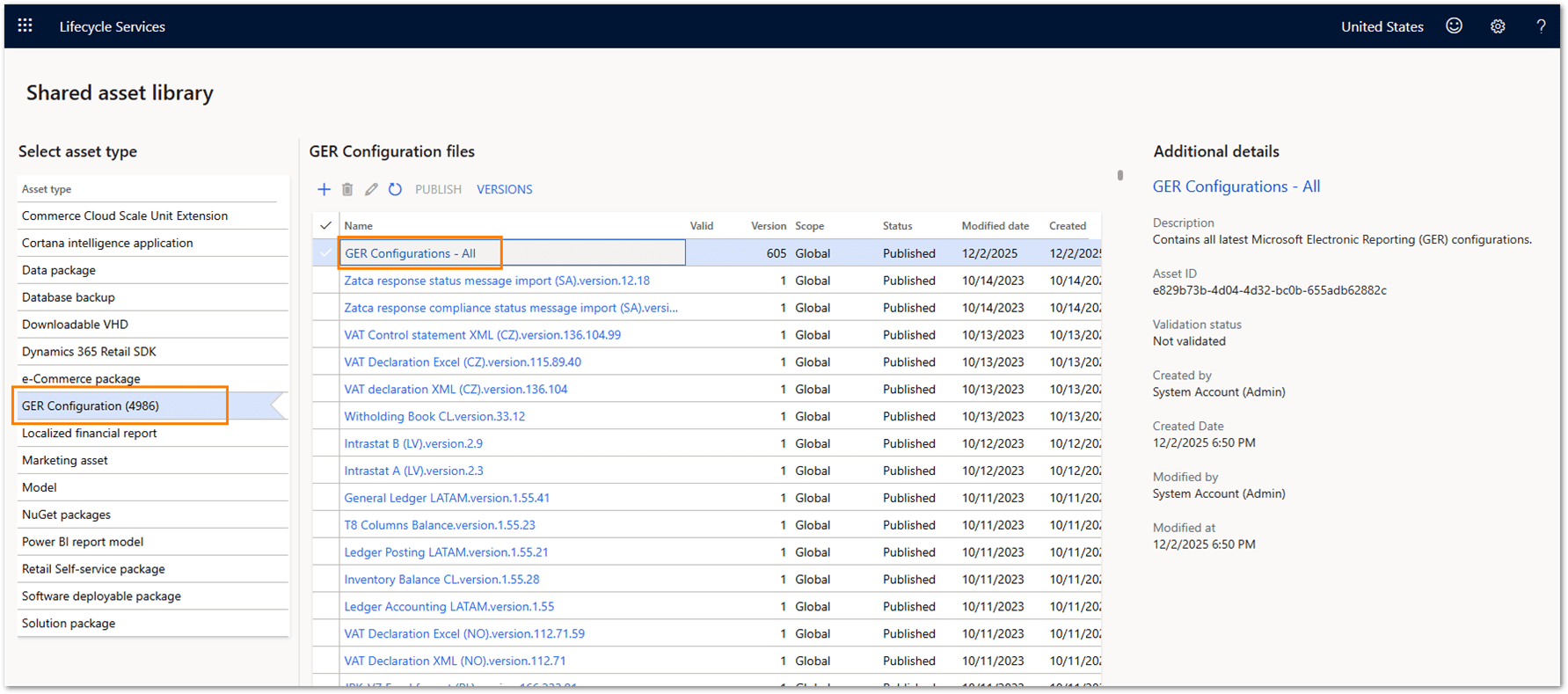
The number of configurations grows mainly due to newer versions updating the previous ones and the addition of new reports and country-specific configuration versions.
Repository storage on Dataverse
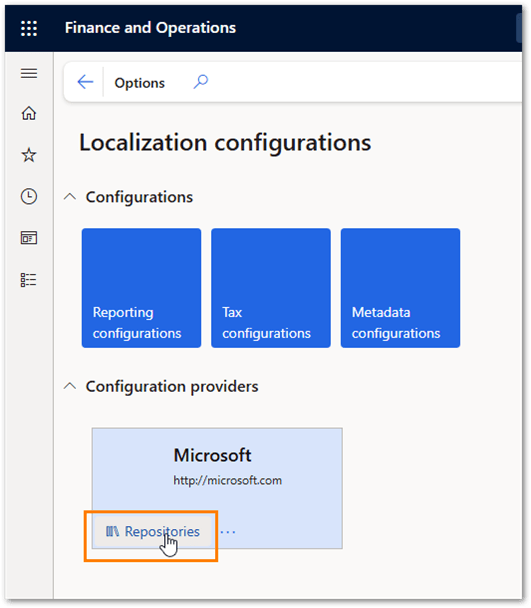
Microsoft will deprecate LCS in the future. As a result, Microsoft supports storing Electronic Reporting (ER) configurations in Dataverse for tier-2 and higher environments. OneBox and tier-1 environments support storing configurations only in the file system. In both scenarios, the user experience remains practically the same.
The following screenshots show how to open and search the Dataverse repository.

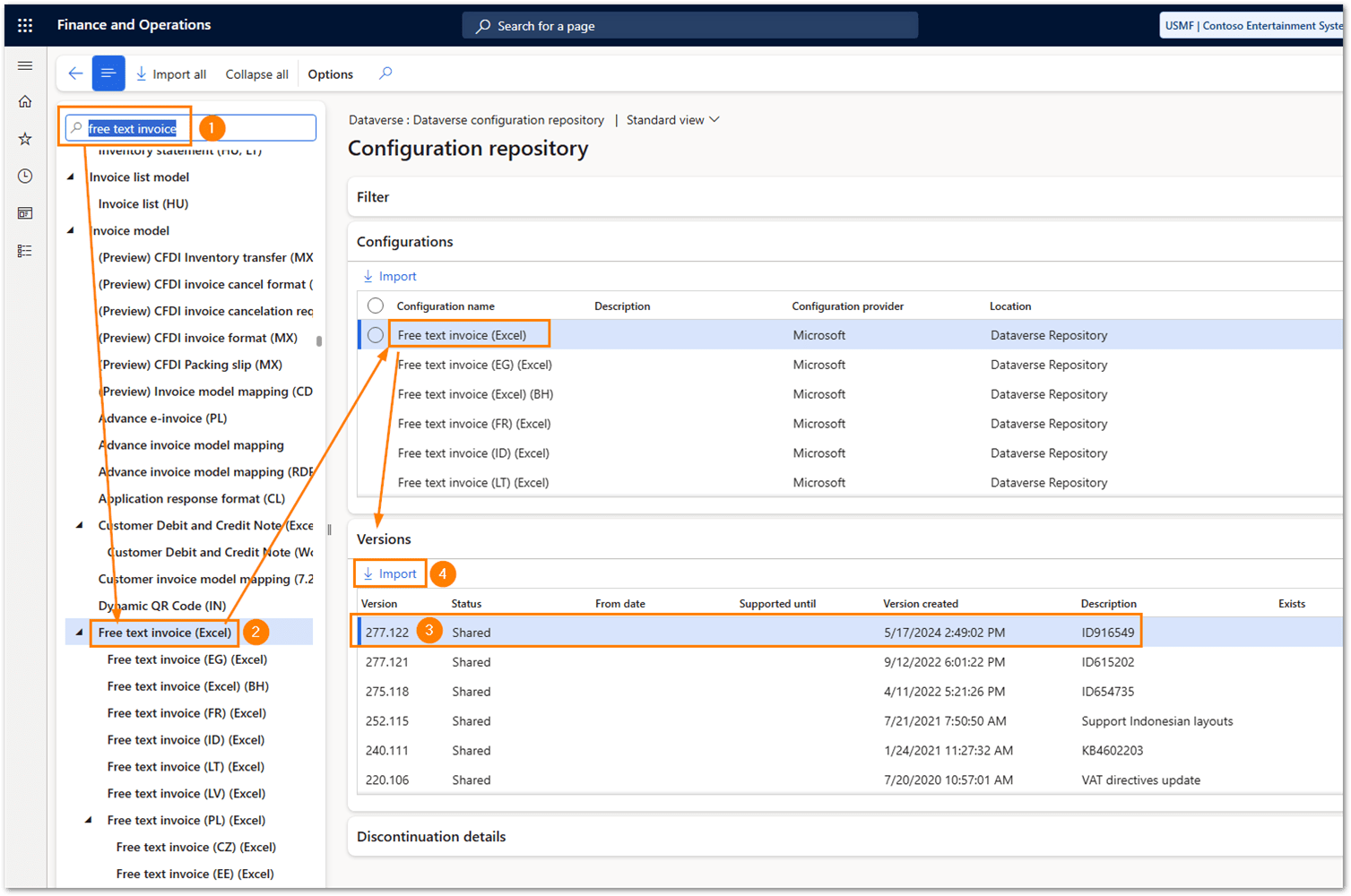
Once you search for and find the configuration, you can import it (see #4 above). Import will automatically load all related parent configurations in proper sequence to your electronic reporting configurations.
Output formats and document rendering
Additional format configurations with Word templates
Microsoft initially created the first CBD format configurations by using Excel templates. Although Microsoft announced support for Word templates at the same time, it made them available later. Notably, Microsoft does not update Word configurations as frequently as the corresponding Excel configurations.
Mostly, only one version of a format configuration with Word template is available per report. For example, in December 2025, the Free text invoice format configuration with Word template uses data model version 126, and Excel is already on version 277. There are also many country-specific Excel format configurations for the Free text invoice, but none for the Word format. Other public-facing ER format configurations have similar situations.
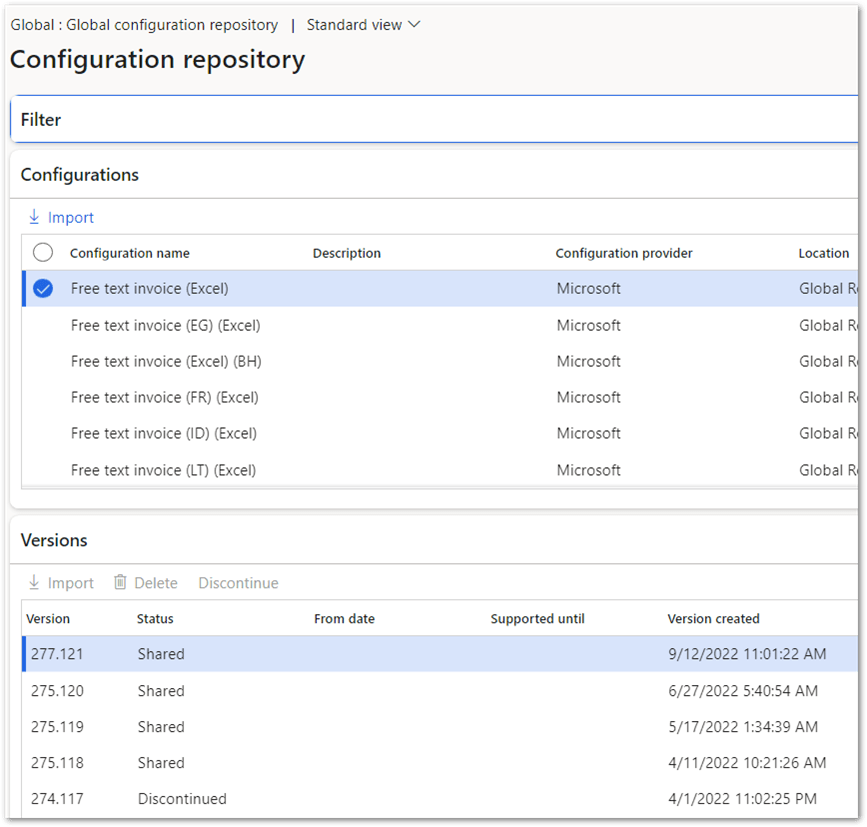
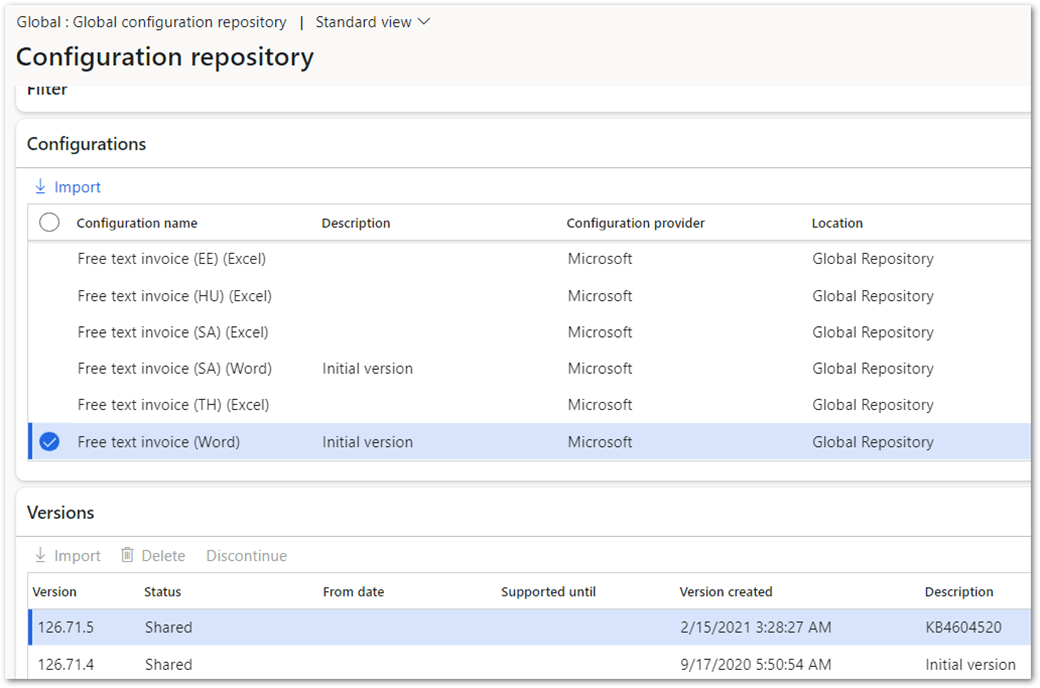
Since the versions of the format and model mapping should be on the same base version as the data model version, you need to keep older versions of the configurations if you want to use Word templates, provided by Microsoft.
Support for PDF output format
Users had long awaited this feature because Microsoft did not provide it from the beginning. Microsoft eventually introduced support for PDF output and used Office Conversion Services (OCS) to generate PDF files. OCS operates as a separate service that accepts a Word or Excel document, converts it to PDF format, and returns the generated file to the caller.
Users reported occasional issues with this service. In addition, OCS imposed certain limitations. For example, the service could not convert documents that exceeded 300 pages.
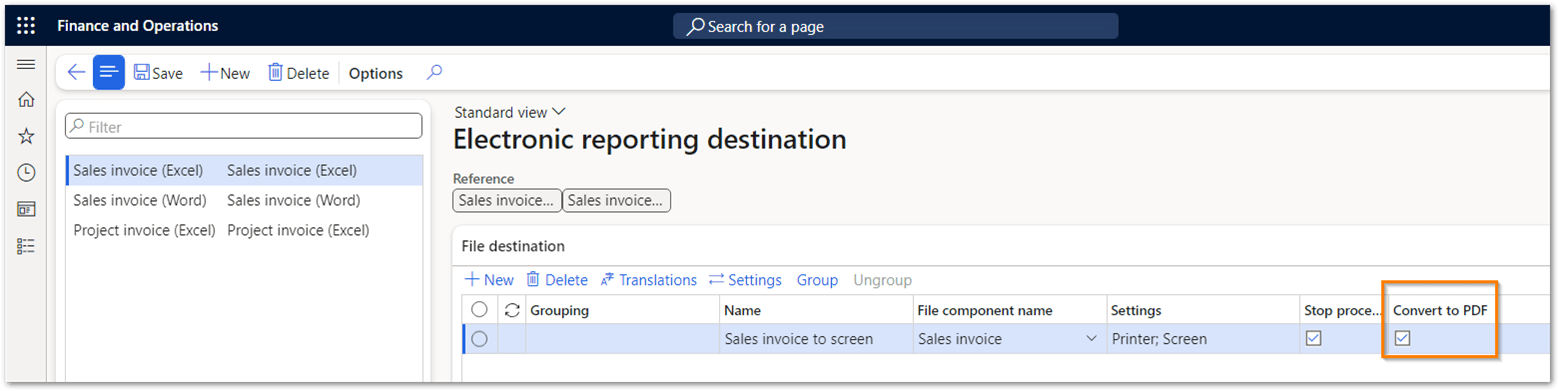
In-App PDF conversion
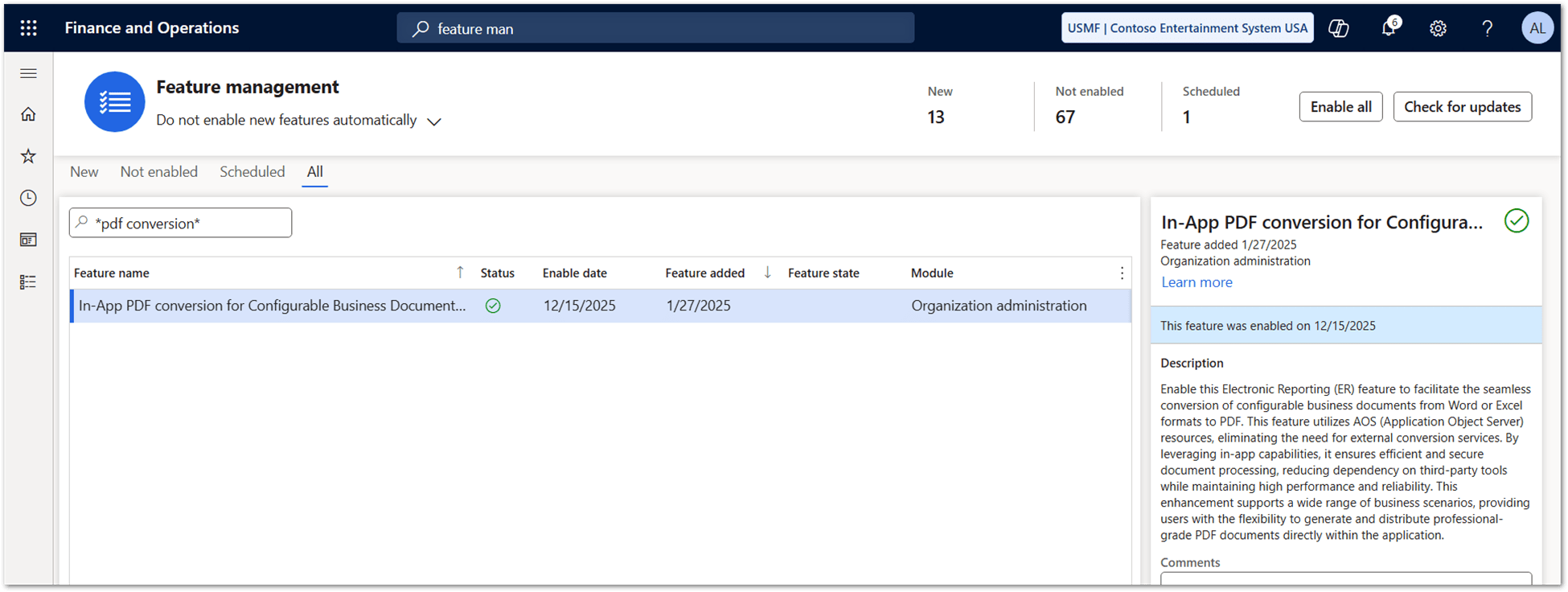
Microsoft provides the In-App PDF conversion for Configurable Business Documents feature starting with Dynamics 365 Finance and Operations version 10.0.43. This feature enables D365FO to convert generated Electronic Reporting (ER) reports that use Excel or Word templates directly to PDF within the application, eliminating the need to connect to an external document conversion service.
Administrators enable this functionality in Feature management, as illustrated in the screenshot below.
Printing and delivery destinations
Support for Printer ER destination
The Printer ER destination was also not available from the beginning, but only later. Eventually Microsoft added support for the Printer in ER destinations, so this problem has disappeared.
Default and named ER destinations
When Microsoft introduced ER and Configurable Business Documents (CBD), each format configuration supported only a single ER destination setting. Although this setting allowed multiple output destinations, it did not provide the flexibility required in real-world scenarios. For example, users could not configure different ER destinations for conditional Print management settings or Print management overrides. In addition, users could not preview a report on screen if they configured the ER destination for a different output.
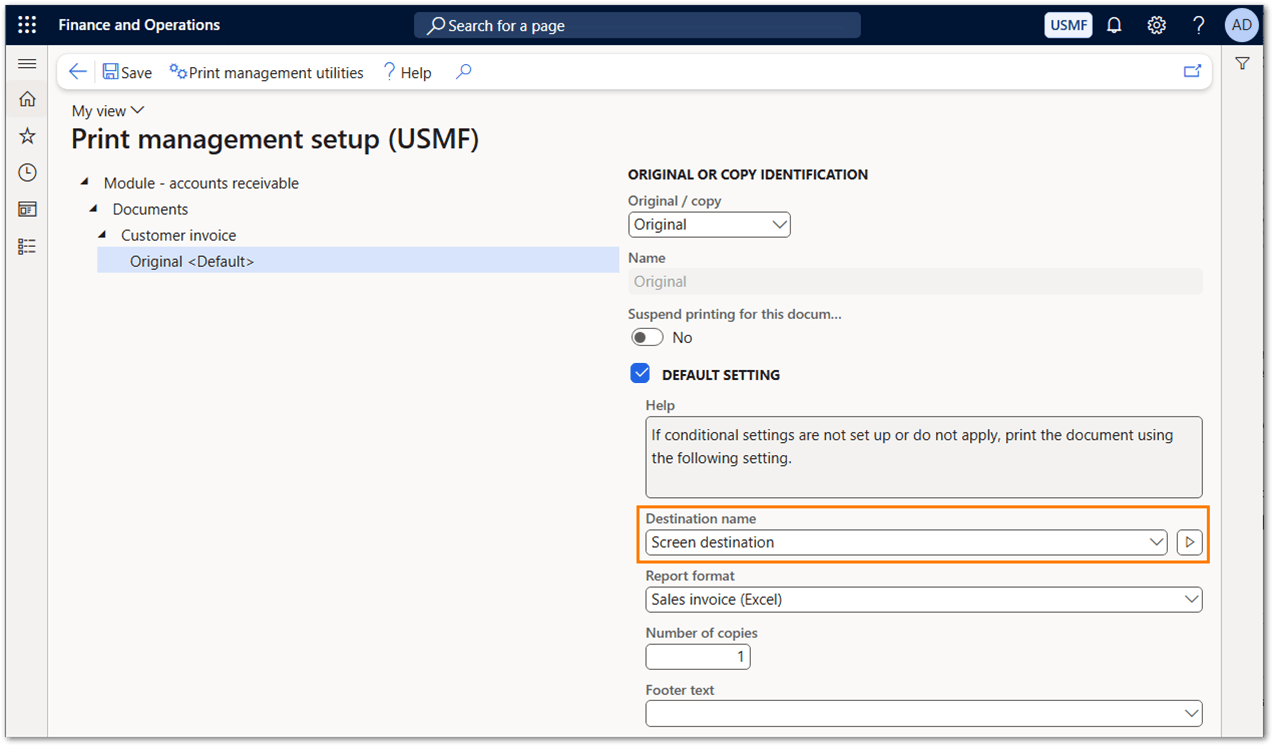
Microsoft resolved this limitation by introducing named ER destinations at the Print destination level. Administrators can now define multiple named destinations for a single report and select the appropriate one as needed. For example, one conditional Print management setting can use one named destination, while another setting can use a different named destination.

Action dependent ER destinations
Microsoft implemented another enhancement by introducing support for action-dependent ER destinations. This feature allows users to define different ER destination settings based on the selected print action: View, Send, or Print.
Administrators must first enable this capability in Feature management under the feature named Route output of PM reports based on ER destinations that are user action specific (wave 1).

Better support for DRA printing
Microsoft has also improved direct printing to printers through the Document Routing Agent (DRA). Previously, the system limited direct printing to PDF documents, and even that scenario required the DRA to run as a desktop application together with Adobe Acrobat Reader, which handled spooling and printed the document to a local printer.
Microsoft now enables Electronic Reporting (ER) to generate EMF (Enhanced Metafile) files, which represent individual page images. The system sends these EMF files to the printer through the DRA running as a Windows service. This enhancement increases reliability and scalability by removing dependencies on third-party PDF components and by supporting native, service-based printing.
To activate it, enable the Enable support of Document Routing Agent running as a service feature:

When you run the report using print management, the DRA will download the EMF file and send it to the printer. You can check the Document routing status form, to verify that the EMF file has been generated.

Business documents and compliance governance
Business document management for Word and Excel templates
You can create and modify Word and Excel ER templates in desktop Word and Excel. Microsoft has also introduced Business Document Management (BDM), which allows you to edit templates with online Office applications. Previously, it was possible to define the binding between the format template structure and the data model using the BDM user interface. Some people reported issues with it. Microsoft later removed it.
Now, you can only modify the design in online Office applications. All the binding is done in ER Designer.

Regulatory Configurations Service (RCS)
Microsoft first released Regulatory Configuration Service (RCS) in 2020 for selected countries and later expanded its availability to additional regions. RCS provided capabilities for managing configurations that support electronic invoicing, tax calculations, and the centralized publication, storage, and sharing of custom configurations through the Global repository. By doing so, Microsoft simplified configuration management and removed the dependency on Microsoft Dynamics Lifecycle Services (LCS).
RCS also enabled users to import configurations from the Global repository, derive them within their own configuration provider, and apply the required customizations. In addition, users could share these configurations across their other environments or with business partners.
However, it was discontinued after the D365FO version 10.0.39 and it was replaced with Globalization Studio.
Globalization Studio
Large companies that do business worldwide have to comply with a multitude of country- and region-specific tax regulations. Globalization Studio addresses these challenges by offering no-code/low-code tools and services, some of which already come out-of-the-box with country localizations. The missing pieces can be added by the implementation partner or even by D365FO customer themselves.

Source: Microsoft
Runtime experience and performance
Implementation of the debugger
One of the biggest obstacles in the early days of ER/CBDs was the lack of monitoring of data during the runtime execution of configurations. The only way to find out what was going on was for a developer to debug the execution in code, which was a time-consuming and complex task. Microsoft eventually introduced the ER debugger, which allows functional consultants to track what happens to the data during the execution of format and model mapping configurations.
Debugger is activated via User parameters.


With these settings, you will get the dialog box shown below when you run the report. If you select Yes, the debugging mode is activated.

Next screenshot shows the process of retrieving the values from the data read in the ER pipeline. The buttons at the top display either model mapping data or format mapping data as defined in the data model (see #1 below). Then navigate through the data schema as needed (#2) until you get to the data you want to view (#3) and request the value (#4). On the right-hand side, expand the schema until you see the requested value (#5).

This can be time consuming, but at least you have an insight into your data so that you can determine that a value is incorrect or that there is no value at all, even if it should be there.
You should also know, that the debugger works for outbound documents only.
Execution optimization
Microsoft also did several optimizations in the ER framework. Some of these optimizations can be enabled in the Feature management, where you can experiment a little bit to find your optimal settings.
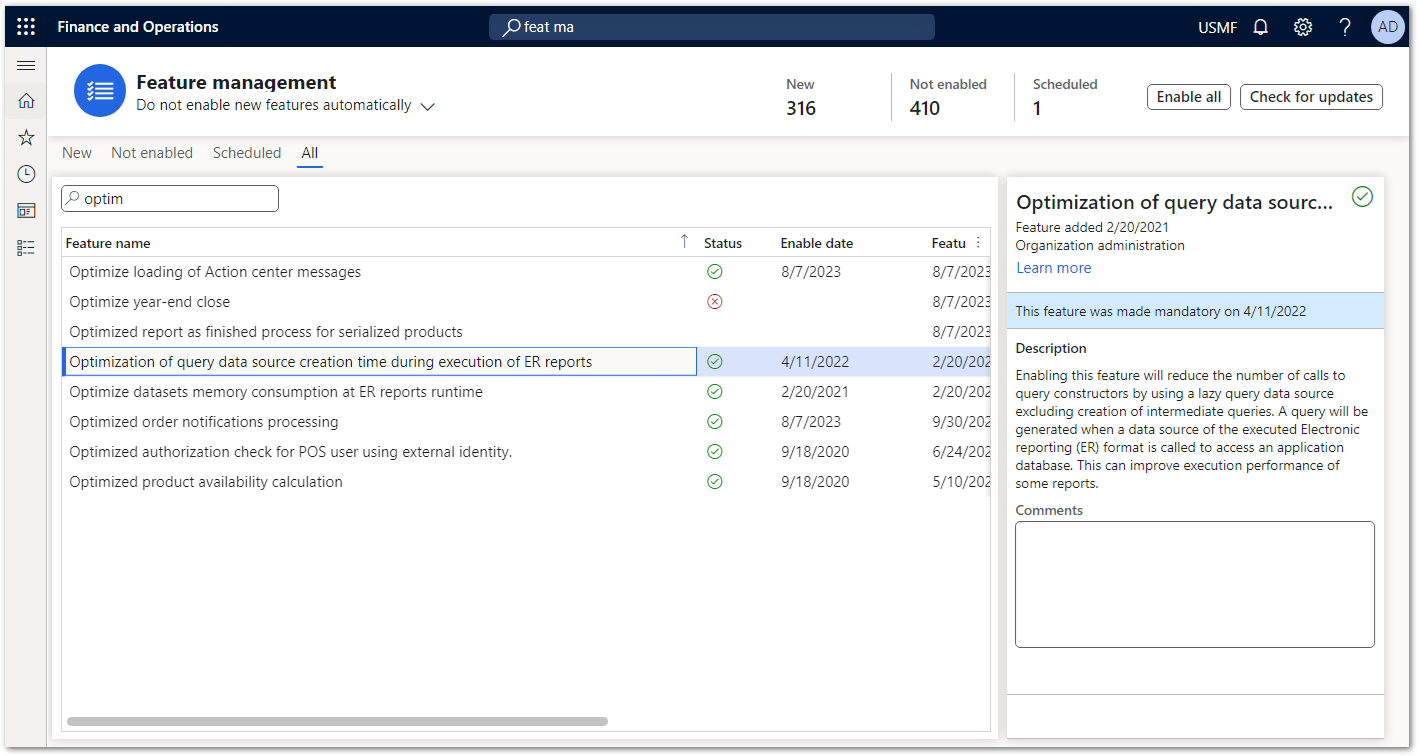
From version 10.0.46 onwards, you can also set query timeouts during runtime in Electronic reporting parameters settings.
Ecosystem maturity
Much has changed in ER/CBD since its early days. Most changes have been evolutionary, introduced in response to community requests, and some have been very useful. More changes are likely in the future, probably introduced quietly. Microsoft does not have an official ER/CBD roadmap indicating upcoming features, but plans are published in What's new and planned for Dynamics 365 Finance.
For example, you can read about changes in the 2025 release wave 2 at this link and then scroll to Globalization Studio.
Official documentation
When ER was introduced, there was little documentation, and the learning curve was steep and required a lot of trial and error. Microsoft eventually started to expand the documentation, so the situation is much better now.
Community
There used to be an active community on Yammer, but Microsoft deprecated it and replaced it with Viva Engage. There is some activity there, but not yet as much as it was on Yammer. You can get ER and CBD related content if you join the community Electronic Invoicing and Analytics and Reporting in D365 for Operations. If you are not a community member, fill out the Request access to Finance and Operations Viva Engage Community.

Community learning resources
Many community learning resources with practical examples are available, making it easier for learners to navigate the ER/CBD process.
- You can find useful ER/CBD-related documentation on Docentric blog:
- Fernando Tudela Desantes, who is an MVP, has many interesting ER-related posts for those who are a bit more technical, so it’s worth checking out his blog:
- Alireza Eshaghzadeh, who is an MVP, has a very informative blog as well:
- There are also some videos available from FastTrack:
- You can also check out the ER-related posts on Ties Philippi’s blog. His ER posts were published in the second half of 2019, but still contain a lot of useful information for beginners and also advanced ER users: