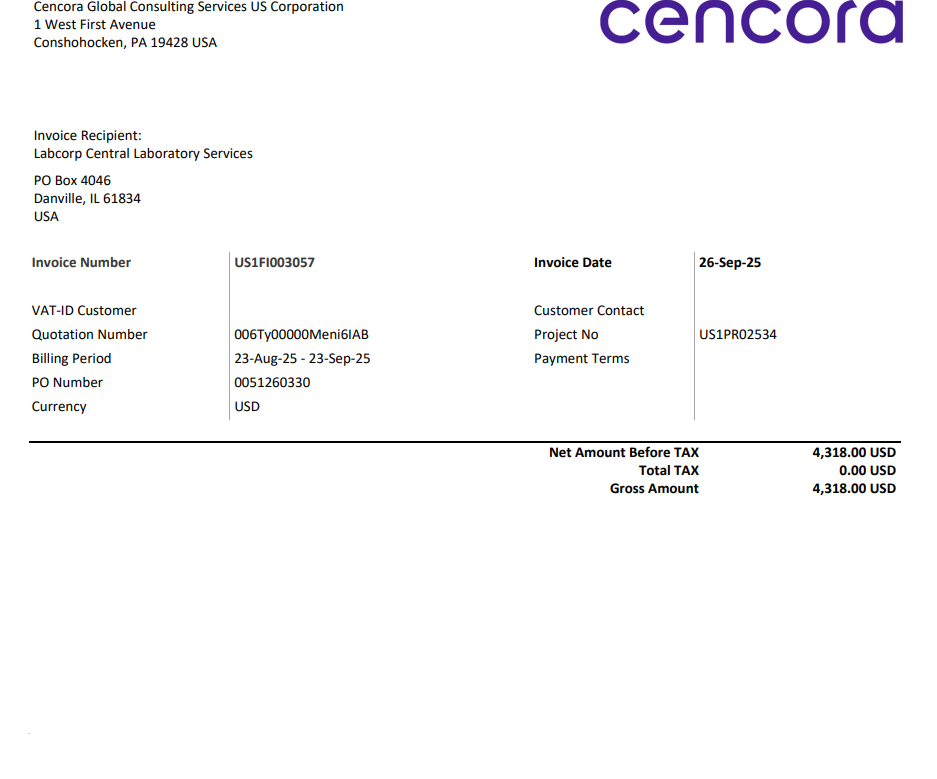
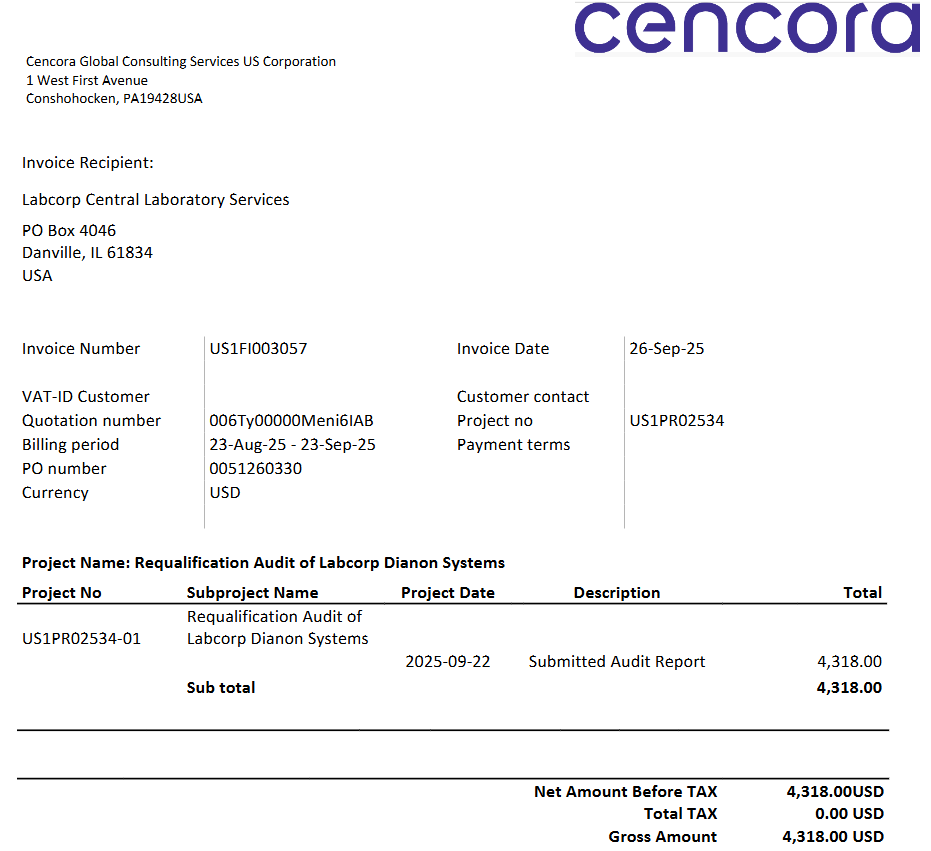
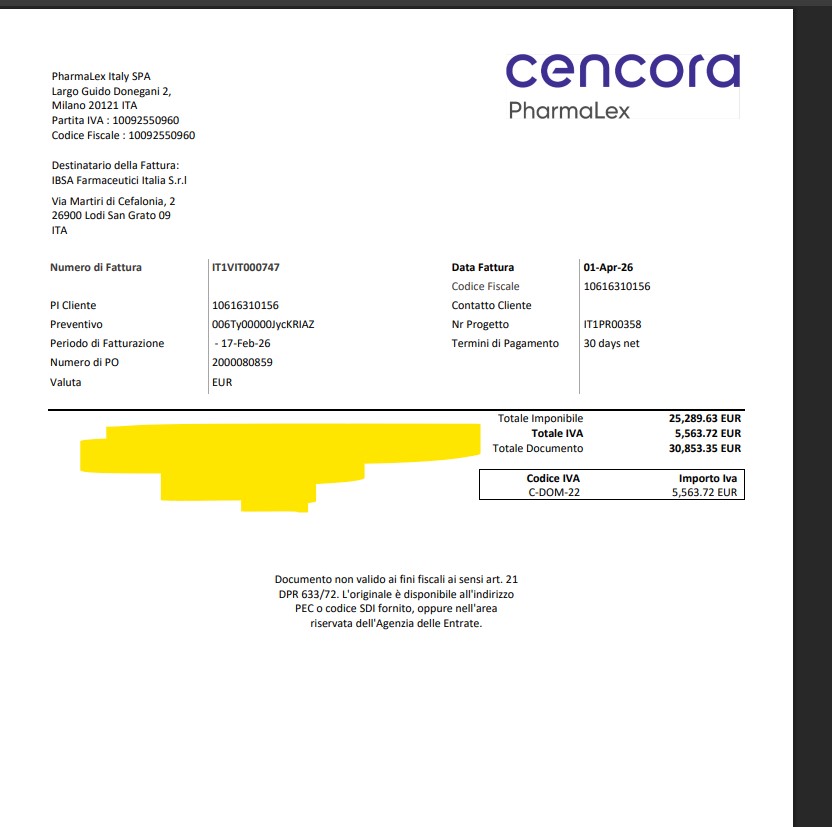
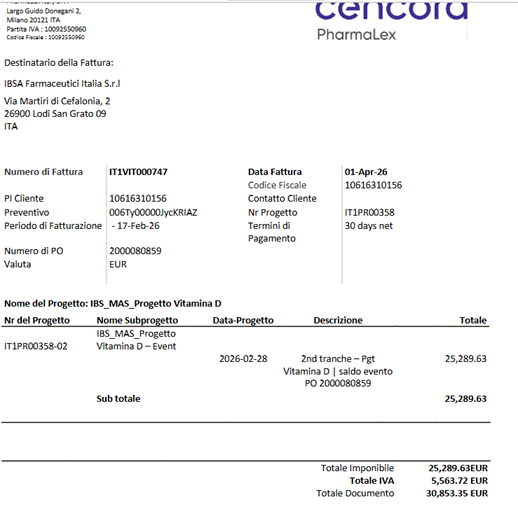
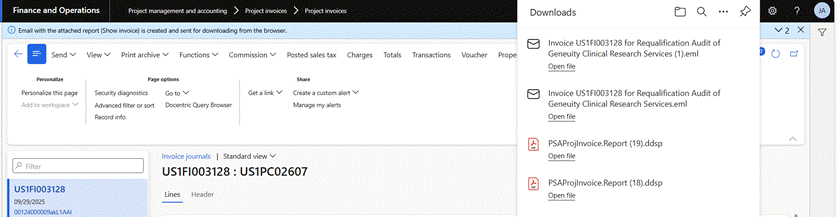
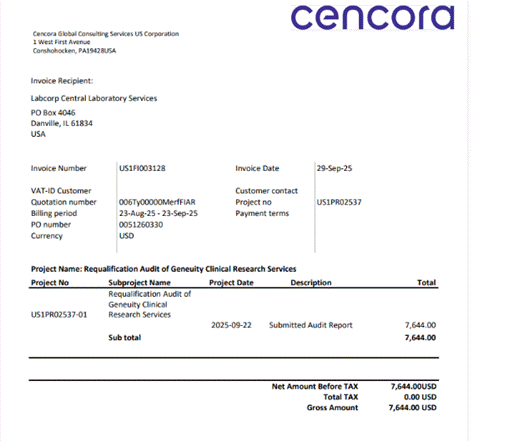
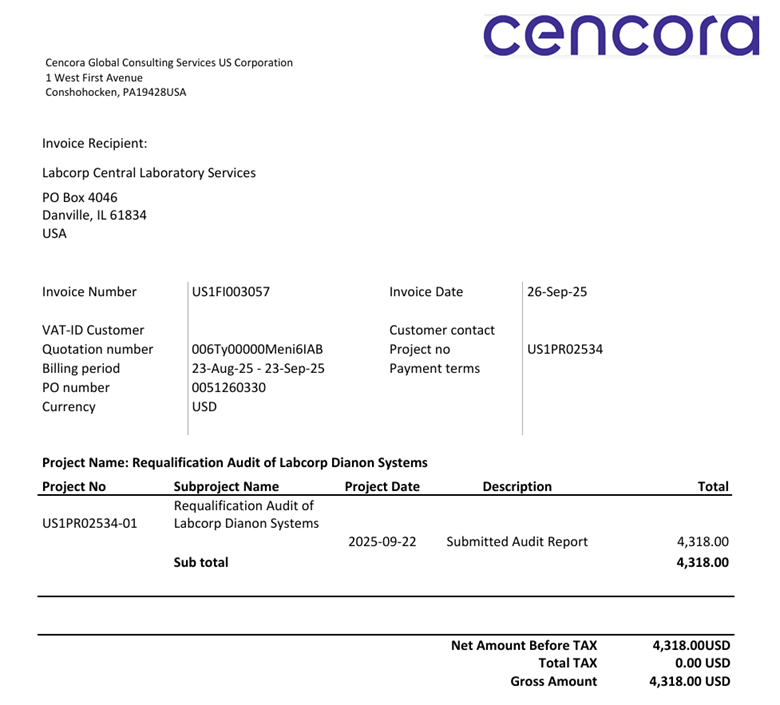
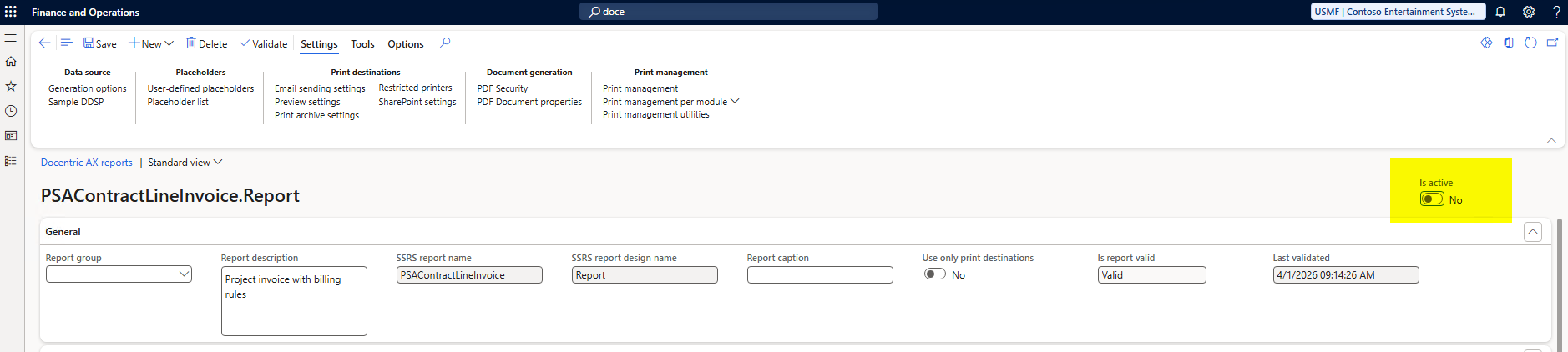
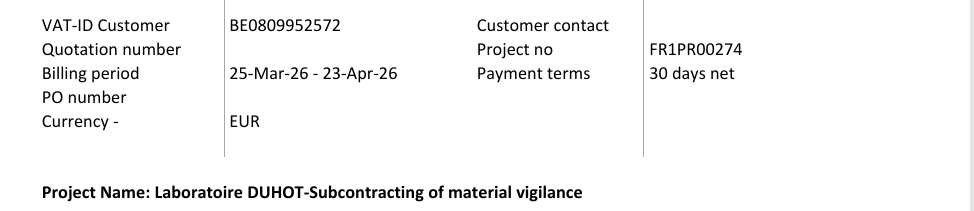
This is regarding Invoice attachments sent to client have no lines, just totals, where printed copy shows everything for US01, IT01, ES01, FR01 Project.
As per comments mentioned by Jesus: - We have not been able to reproduce the issue in any test environment. It appears to be isolated to a single customer and occurs only in a few cases. To investigate further, Zhan has configured print management in Production so that invoices are first displayed in local Outlook, allowing the email and attachment to be reviewed before sending. If the blank‑line issue is observed in the attachment, we will raise it with Docentric for support.
As per Zhan’s comment: -This is occurring in other LE’s now for FP projects, can we get this escalated to Docentric?
Kindly request you to please check and suggest on the same.
Have you done any customizations on the report that could be causing the missing lines?
Also, I would suggest checking the technical name of the report (instructions can be found on this forum post) to make sure that the configured report is in fact the report that is being run.
I hope these troubleshooting ideas will get you closer to figuring out the root cause.
Thank you for your swift response on this matter, this issue only occurs for our reports with billing rules, other reports have the same setup in the system. The system recognizes the correct template that we use for Billing rules projects. We have tried to test this and download an email before sending it to user, the attachment is completely fine, however, what customer and people in CC receive is the invoice without any lines. I remain at your disposal if you need any additional details or if we can arrange a meeting to discuss possible root cause.
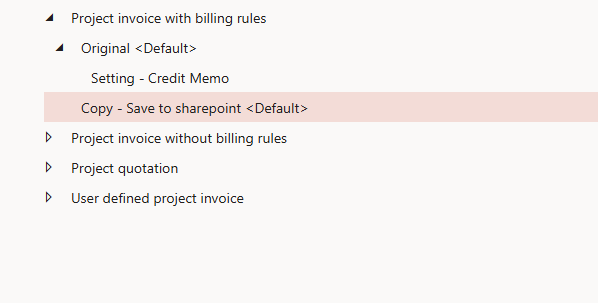
Could you please confirm whether you have checked if any Print Management overrides are configured for the billing rules reports?
Since the issue only occurs with this report type, an override set specifically for it could be the cause. You can follow the steps in the article I shared previously.
Since the PDF is already correct before sending, we should now focus on identifying where it changes during delivery.
To move forward efficiently, could you please perform the checks below and share the specific outcomes? Each step helps us isolate a different part of the process.
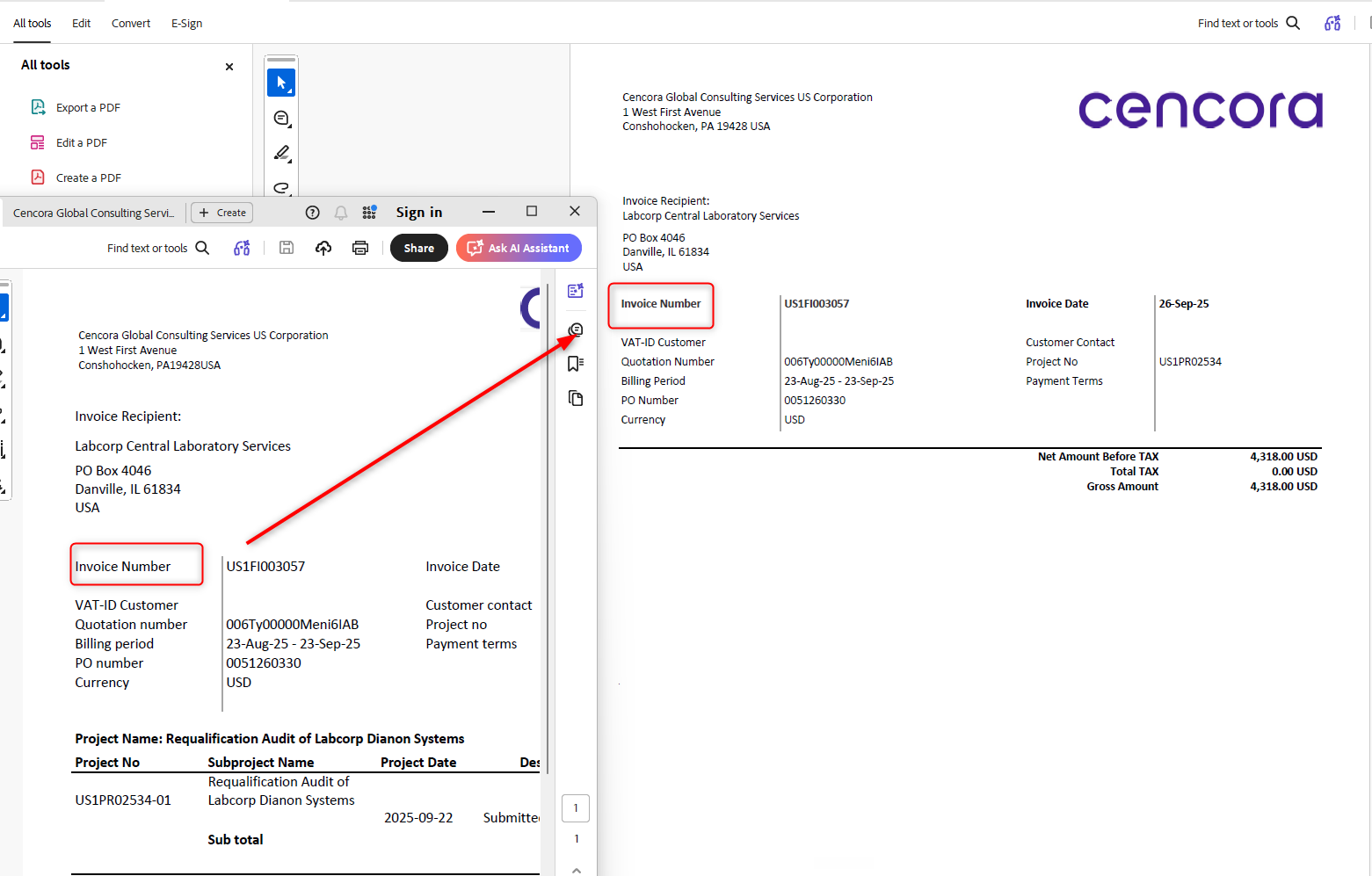
1. Compare PDF before sending vs. received by customer
Save the PDF from Outlook (before sending)
Ask the customer to send back the received PDF
This confirms whether the PDF is being modified after leaving D365FO.
2. Ask customer to open in Adobe Acrobat (not browser/email preview)
Ask the recipient to download the attachment and open it in Adobe Acrobat (not browser or Outlook preview)
This helps us determine if the issue is only a viewer/rendering limitation.
3. Send the same PDF manually (outside D365FO)
Download the correct PDF from Print archive
Send it manually via Outlook to the same recipient
This isolates whether the issue is related to the D365FO email sending process or happens afterwards.
4. Test sending to different domains
Send the same PDF to:
Internal mailbox
External mailbox (e.g., Gmail)
This helps identify whether the issue is specific to the customer’s email infrastructure.
6. Test with standard SSRS output
Generate the same invoice using standard SSRS (without Docentric)
Send it manually
This helps determine whether the issue is related to PDF structure/complexity or external processing.
Based on your findings so far, the issue appears to occur after the PDF is generated, not during report execution. The results of the above checks will help pinpoint the root cause.
2. Ask customer to open in Adobe Acrobat (not browser/email preview)
Performed this step with user , she stated that when we open pdf which is sent through system in Adobe , the PDF is missing lines but from D365 we directly download and send through our outlook mail the pdf is correct.
3. Send the same PDF manually (outside D365FO)
Due to missing lines, currently invoices are being downloaded and then send to customers through Outlook.
The PDF sending through outlook are correct.
4. Test sending to different domains
We can’t test this part as this is against our compliance. Kindly suggest another step.
6. Test with standard SSRS output
I have tested with SSRS print destination, the invoice sent to user has all the lines invoice.(PFA the mail for reference)
Could you share the template with us so that we can analyze it, along with the PDF before sending to the customer and the PDF received by the customer? If it contains sensitive data, you can send it to support@docentric.com.
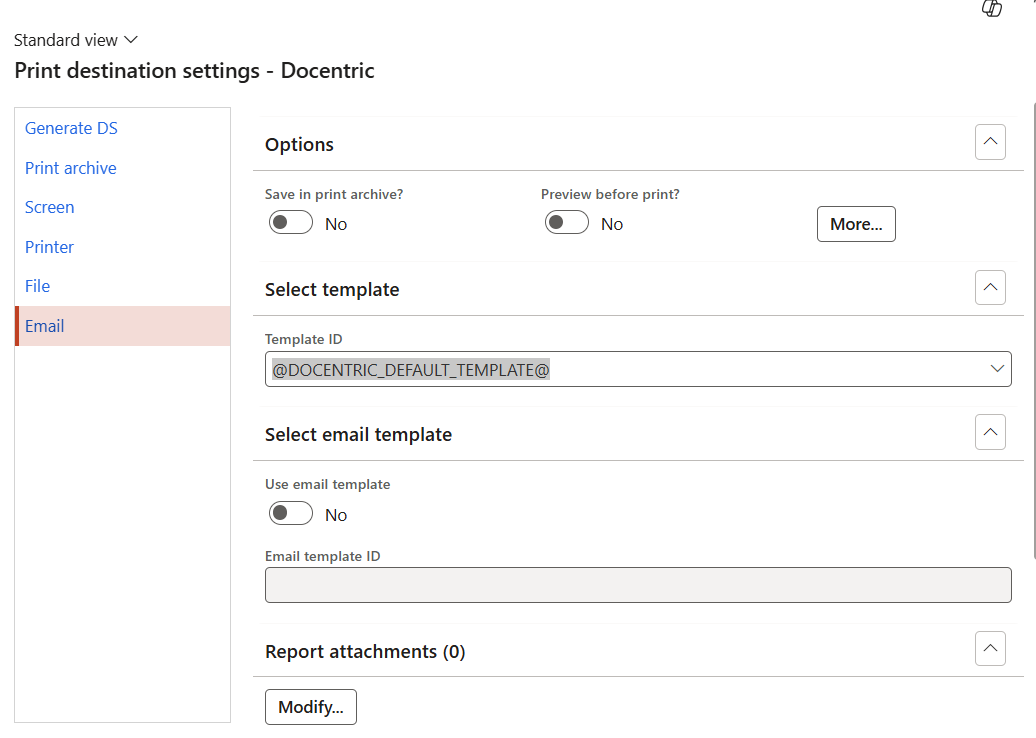
From what I see, in our system all template ID’s point out to @DOCENTRIC_DEFAULT_TEMPLATE@, If my understanding is correct, once I change the template that goes as attachment to the outbound email to match the template set for the specific legal entity, both will match.
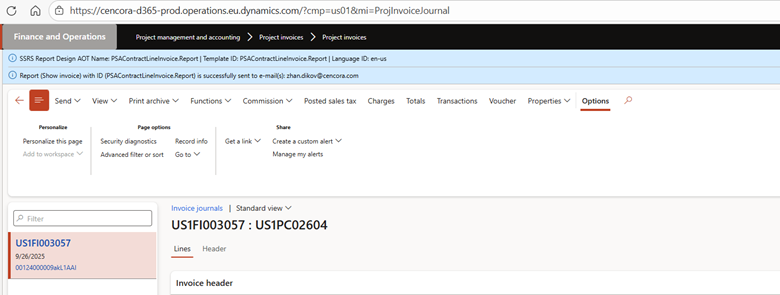
Could you please enable the Discover report technical name flag and generate the report again.
Please take screenshots for both cases: one before the customer process and one after it is sent to me, so we can see which report is executed and whether the default template is used.
Based on the screenshot and the print preview behavior, there seems to be a mismatch between what is configured in the Print destination and what we observe during execution.
From the Print destination, it appears the default template is being used. However, based on the output and diagnostic/Infolog behavior, this is not consistently reflected during the actual email generation.
If the default template is used, we would typically expect to see the Template ID information in the Infolog/diagnostic details (e.g. @DOCENTRIC_DEFAULT_TEMPLATE@). In this case, this does not appear, which suggests that a different configuration or override may be applied during processing.
Correct:
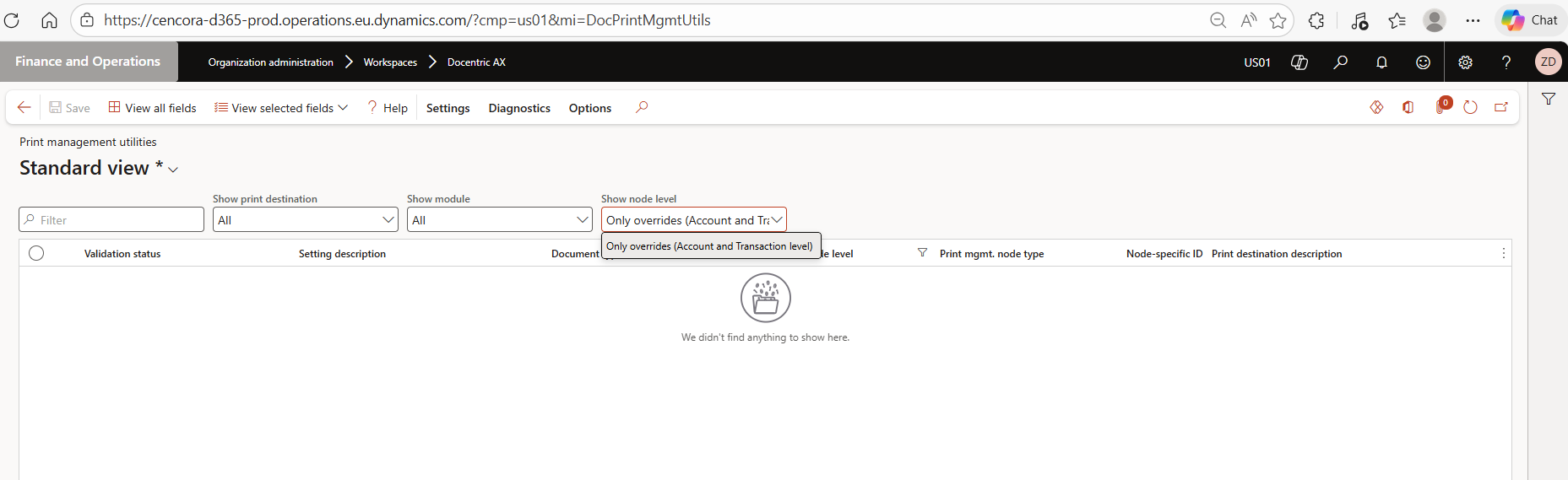
To confirm the Print Management configuration, could you please share a screenshot of the Print Management override settings for this report via Print Management Utilities?
This will help us verify whether a specific override or email destination rule is influencing the output during system email delivery.
For reference on how overrides work in D365FO Print Management, please see:
I am not fully familiar with your setup, but based on the image, the printing is not happening the way you are showing.
What you can try next is to disable this specific report in the Docentric Report Table and then print the report again in both scenarios. Please let me know what message you receive or what result you get in each case.
Based on your input, there are two scenarios when printing, and what we can see is that the same template is not used in both cases, which is why we get different results.
At the moment, I am not fully sure based on your current setup what has been configured.
To confirm this, we need to identify which template is used in each scenario. You can try adding a unique identifier in the template, for example a different document name or visible marker, so we can understand which template is selected based on your setup.