
If you are using Docentric AX with authenticated SMTP emailing through Exchange Online (smtp.office365.com) and you suddenly started seeing this error when sending emails
5.3.3 Command not implemented
while the Test connection test still passes - this post is for you.
What is happening
The root cause is the Exchange Online infrastructure change that MS has apparently started rolling-out on some tenants. It has started on May 4th 2026 and so far two customers have reported this problem, but we expect more of them. Luckily, the vast majority of tenants is still not affected (at least for now).
SMTP traffic at sending test email is shown below. On affected tenants SMTPUTF8 in message header causes the error (Command not implemented), while on normal tenants it works fine. Sending email without SMTPUTF8 works on all tenants.
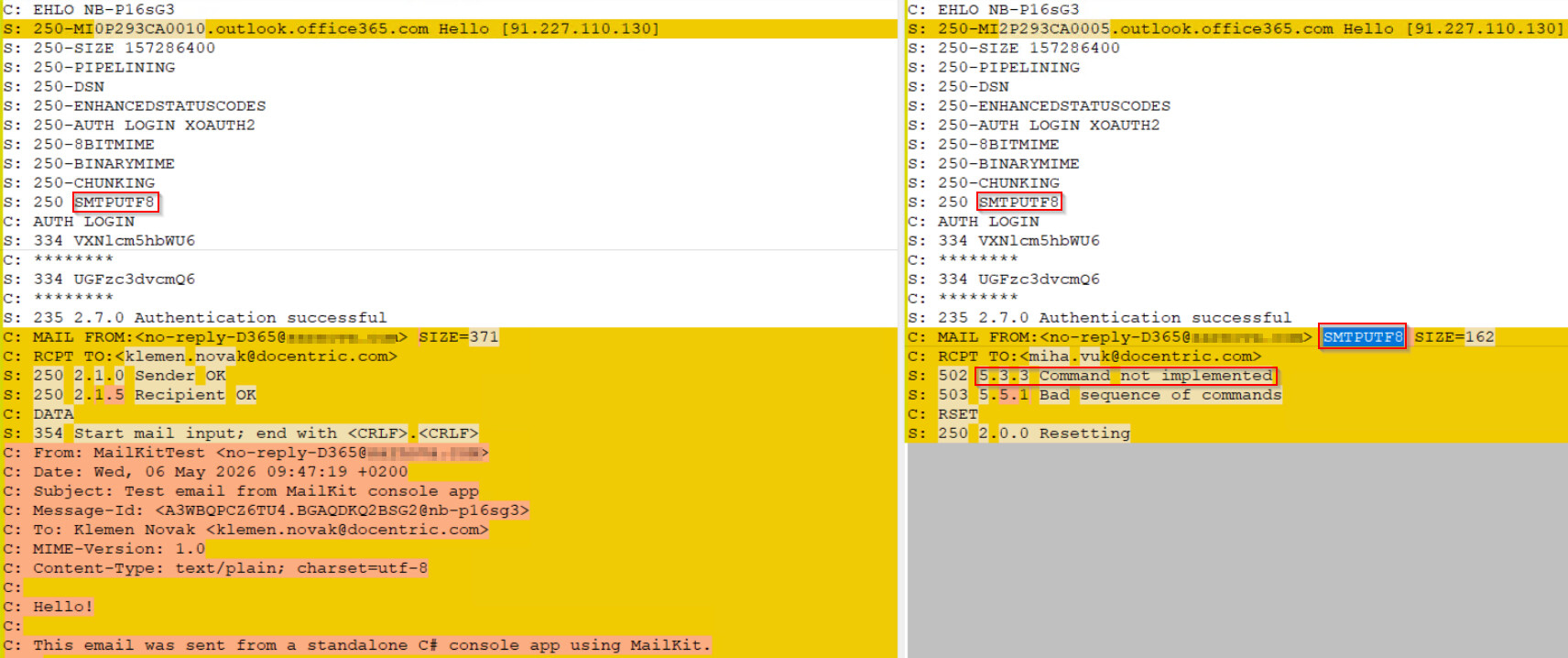
Mail server advertises its capabilities and SMTPUTF8 is listed as supported on all tenants. Apparently something is wrong with its support on affected Exchange Online tenants.
This directive request SMTPUTF8 support from the server (RFC 6531), which enables UTF-8 characters in email addresses and the SMTP envelope.
How to fix it
The use of SMTPUTF8 mail header (envelope) directive is configurable in Docentric SMTP client. It is controlled by Smtp delivery format setting on Docentric AX parameters form. The setting Smtp delivery format = International instructs the SMTP client to request SMTPUTF8 in email header.
If your email addresses contain only standard ASCII characters, change the setting to 7-bit ASCII.
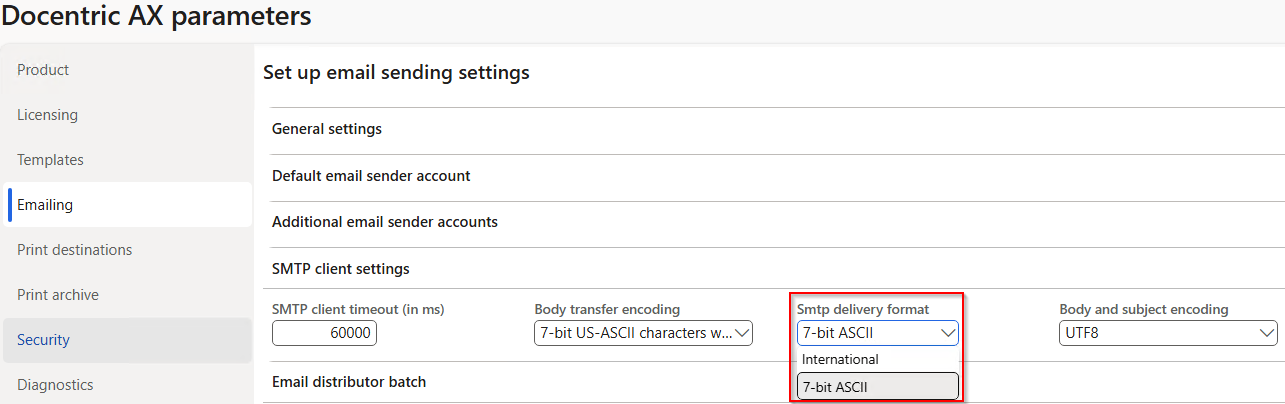
This aligns with how standard D365FO SMTP emailing works and resolves the error for the affected Exchange Online tenants.
Limitations of the fix
With Smtp delivery format = 7-bit ASCII you will not be able to send emails with non-ASCII characters in email addresses (From, To, CC, BCC) on affected tenants while on normal tenants if works fine. The same limitation applies also to standard D365FO SMTP client. Tested with ±@docentric.com.
Non-ASCII characters in display name (ex. Miha Vuk ± miha.vuk@docentric.com) works fine on all tenants.
When to keep International
Only use International if your organization uses non-ASCII characters in email addresses (e.g., accented or non-Latin characters in the address itself, not just the display name) and your mail server explicitly supports SMTPUTF8. As it seems now it does not work on affected Exchange Online tenants (until MS fixes it).