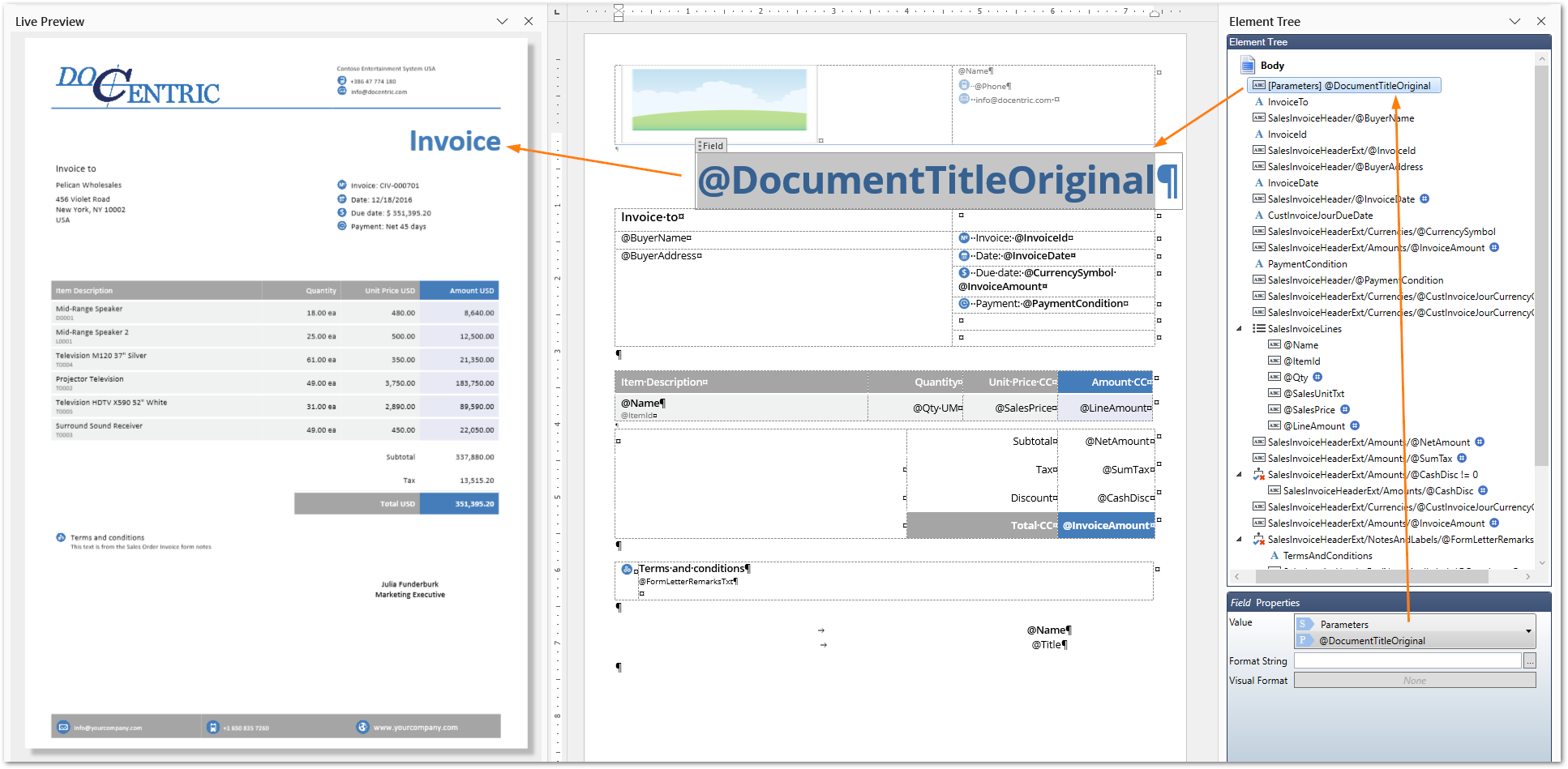
Whenever you print a copy of an invoice, either through View > Preview Copy or Print management with the Copy node, the “copy” text is added to the document title. This is how standard D365FO works, and Docentric inherits the data in this form.
The screenshot below shows the preview of the invoice copy in Docentric Designer. The DocumentTitle field from the Parameters data source is used to display the document title. It contains exactly the same value as in the standard SSRS invoice.
Docentric improvement
There may be scenarios where you want to omit this text. For example, you may want to email the invoice and also store exactly the same document in external Azure Blob storage. Standard D365FO doesn’t provide an option to omit the copy text, except by extending the code.
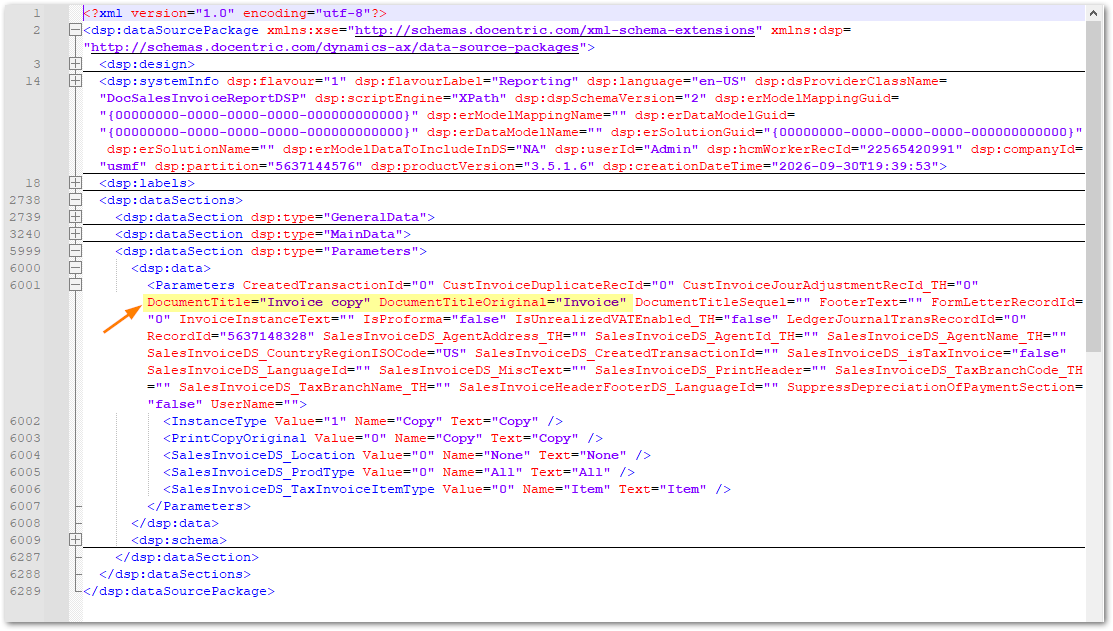
Docentric, on the other hand, offers an additional field in the report data where the original document title is stored. If you inspect the data in the DDSP file, you will see an additional field called OriginalDocumentTitle. It contains the value of the original document title.
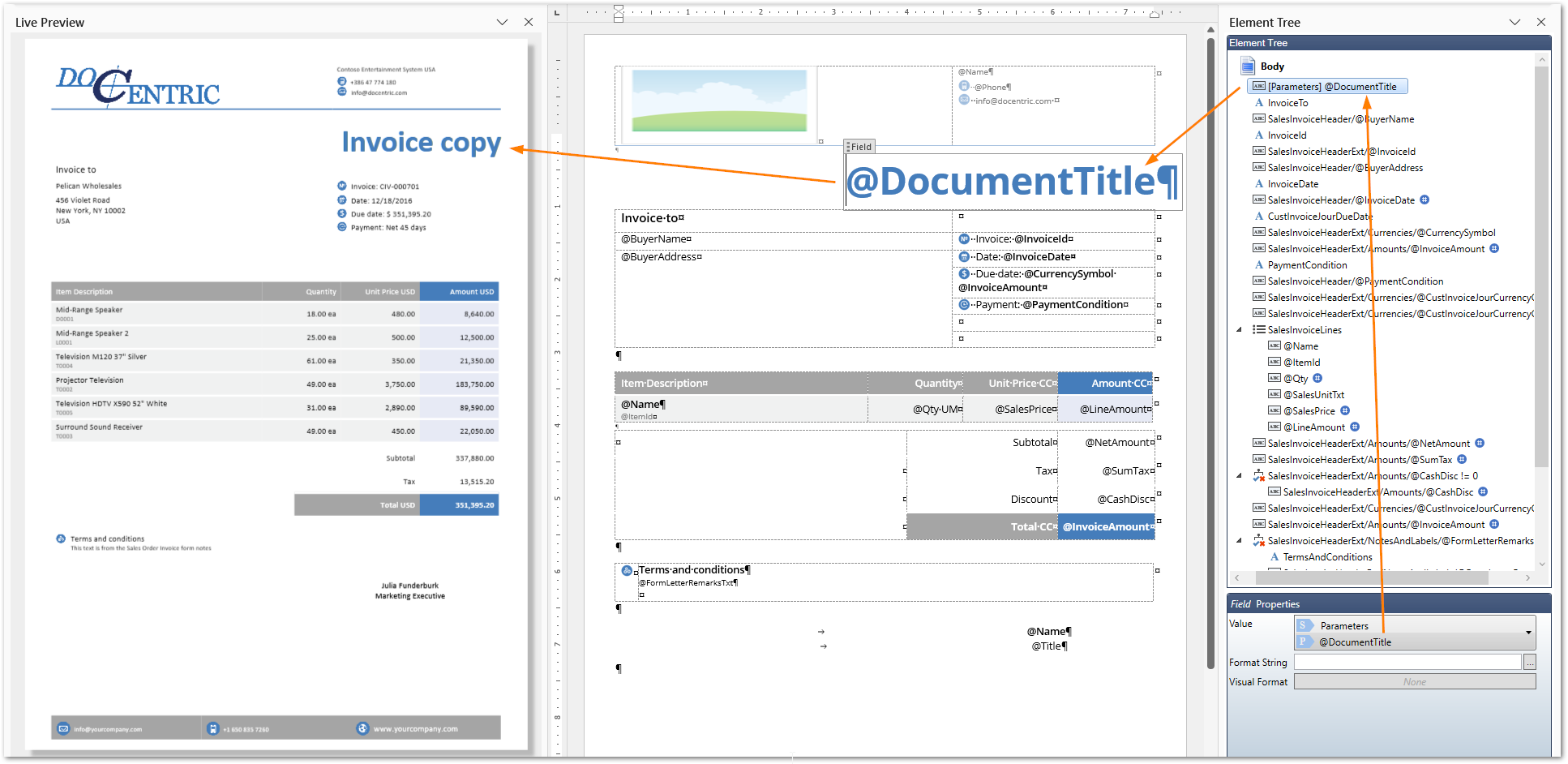
All you need to do is bind this field (OriginalDocumentTitle) instead of the standard field (DocumentTitle). The screenshot below shows the final result in Live Preview in Docentric Designer.