Invoicing email address is coming up as not valid when trying to send an invoice

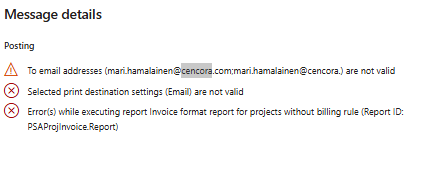
when trying to send an invoice (UK1FI04042) to the client. The email address on the project is correct (purchasing@cuxsongerrard.com), but when trying to send the invoice, an error appears saying the email address is not valid (purchasing@cuxsongerrard.com;purchasing@cuxsongerra).User removed the email address and re-entered it but I am still getting the same error.

Impacted LE till now: AU01, UK01 , DE01 , FR01 and FI01

Impacted Projects reported:AU1PR00635 for invoice AU1FI02265, FI1PR00727, FR1PR01144, UK1PR00749, UK1PR00533, UK1PR00409, 001PR02036 and UK1PR00454
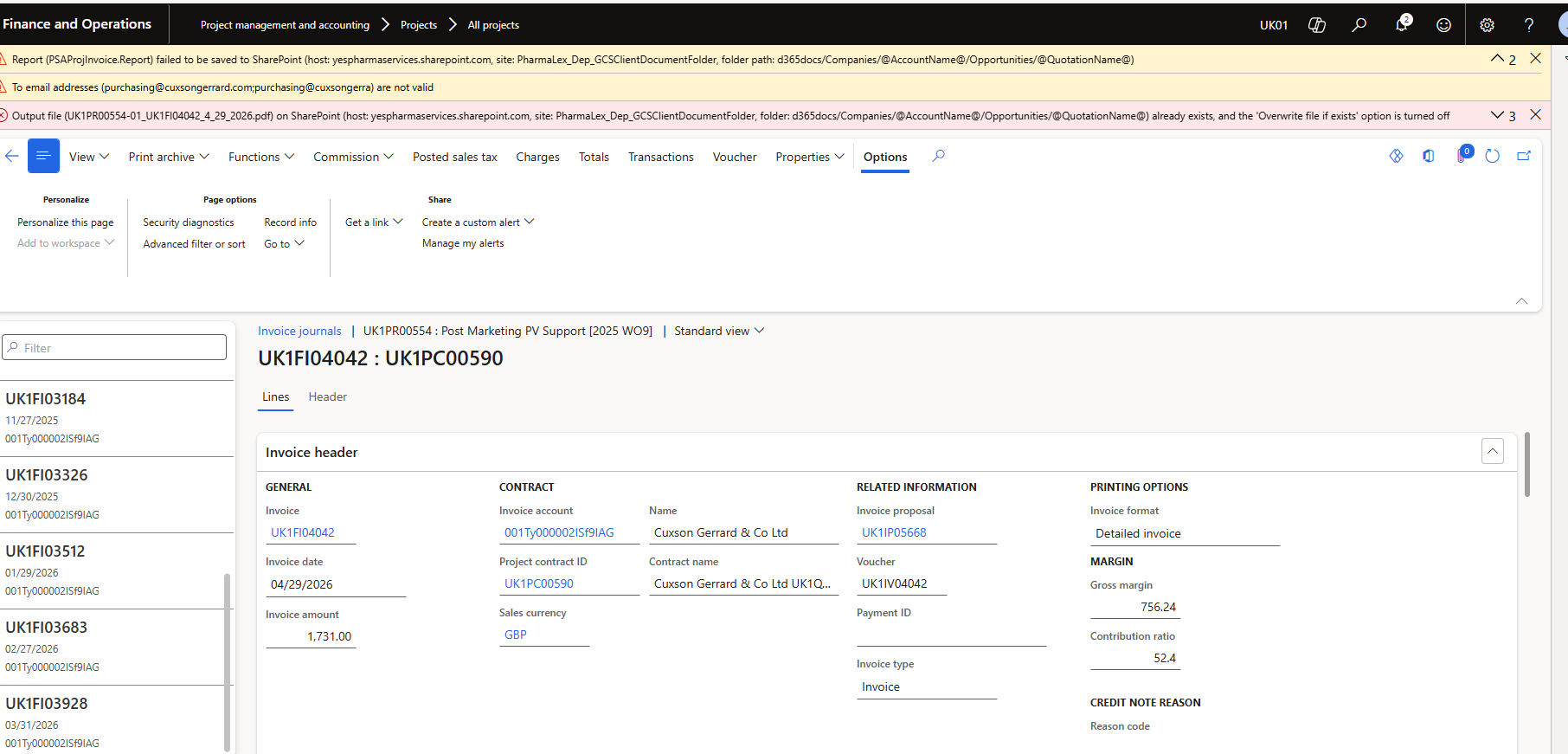
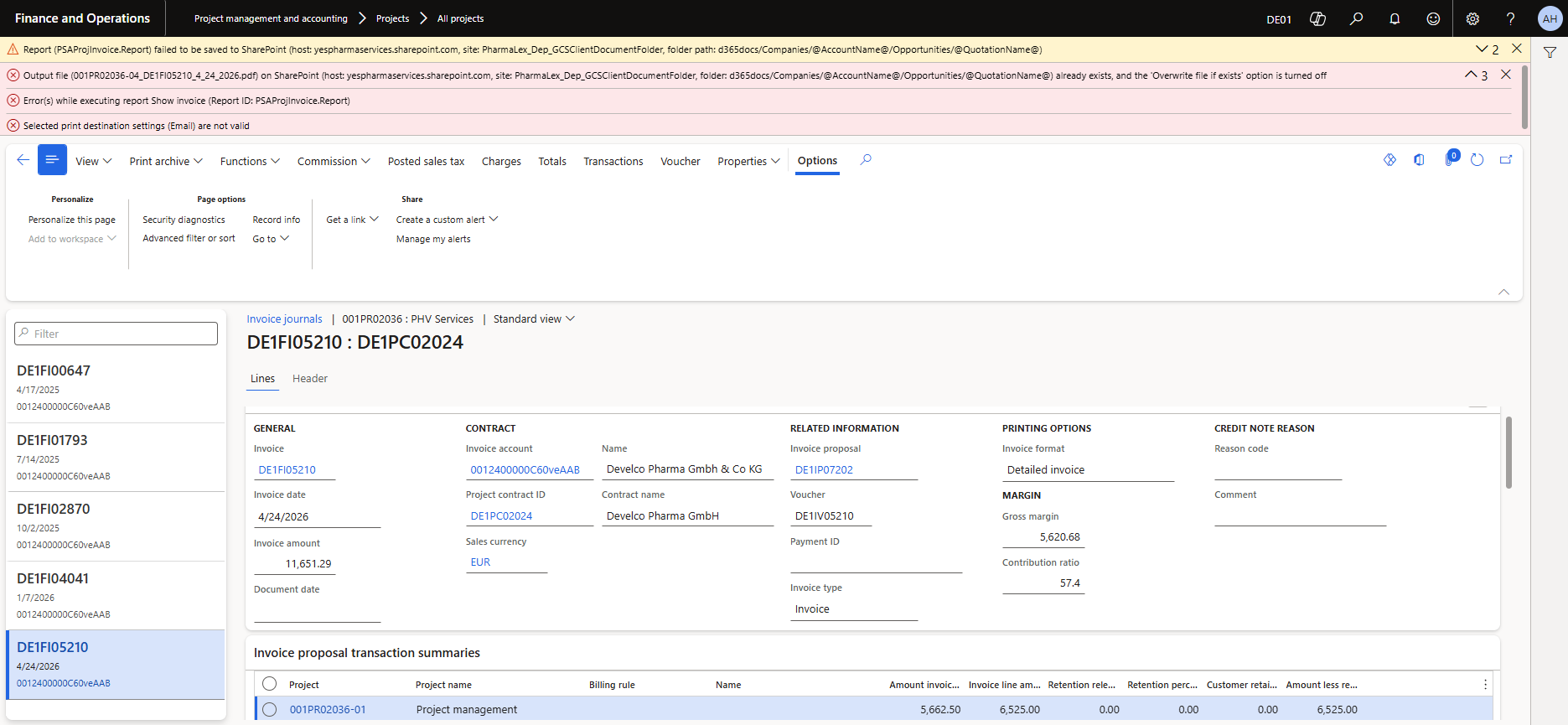
Note : The email address in the Project ID is correct but when sending the email the email ID mentioning is incorrect
Example: Incorrect email ID: “purchasing@cuxsongerrard.com;purchasing@cuxsongerra”

correct email ID: " purchasing@cuxsongerrard.com"

Kindly assist this is really impacting the business.
Hi @ankitajha,

it could be that the email is already saved in the journal, so it is being reused as-is during the printing.

As a next step, please try creating a new invoice and sending/printing the invoice again to confirm the behavior from scratch.

Since this is standard SSRS functionality, you can also test the standard SSRS email print destination behavior in D365FO to see if the same issue occurs there.

Additionally, please check if there are any invalid or incomplete email addresses in the related master data, as this can also lead to issues during email generation. You can use this guide to help identify such cases:

https://ax.docentric.com/find-accounts-without-email-address-in-d365fo/

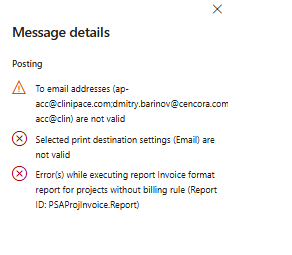
As highlighted , we continue to encounter an error stating “Email not valid” when posting invoices, even though the email addresses configured in the Projects are correct.

For example, in this case the correct email addresses are: acc@clinipace.com; barinov@cencora.com

These are properly maintained in the Project setup. However, when the invoice is posted, the system incorrectly modifies the email string to: acc@clinipace.com; barinov@cencora.com; acc@clin

This incomplete entry results in the invalid email error.

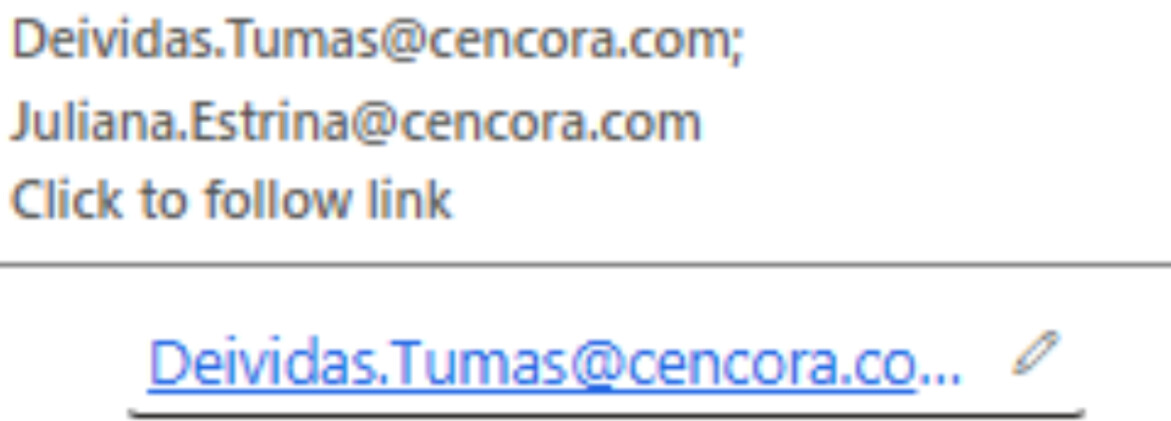
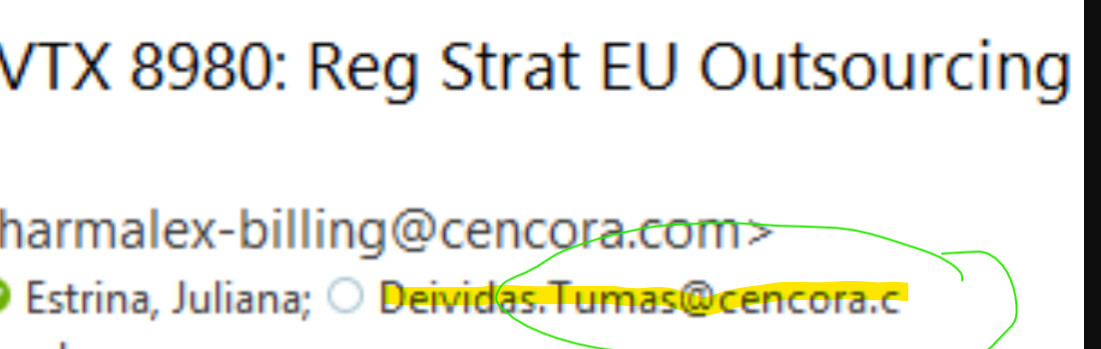
We tested this in UK01 using our own email addresses, which were correctly added to the Project. The first screenshot shows the Project setup with the correct email. However, once posted, the system truncates the “.com” portion of the address.

A further attempt in DN01 was also unsuccessful. In these cases, Docentric either truncates the end of an email address or, in some instances, adds duplicate or incomplete addresses without reason.

The key concern is that the system is consistently picking up incorrect email IDs—either by appending incomplete addresses or duplicating them. This issue is not isolated, it is occurring across multiple legal entities and is therefore a Priority One problem for us.

Additionally, as mentioned in the earlier communication, we reviewed the provided link to check for invalid or incomplete email addresses in the related master data. No issues were found for the customers where these errors are occurring.

We kindly request immediate investigation and resolution, as this is impacting invoice posting across entities.

Thank you for your prompt attention.

Hi Ankita,

To help us assist you, could you please send us the setup for the Docentric email print destination that you have configured, so we can see how you have defined the email recipient?

Thank you.

Hello Natasa,

I am not able to upload the setup. Can you please share email ID so that I can attach the setup files

Hi @ankitajha,

You can send an email to our support team at support(at)docentric.com

Also, what happens when you use the standard SSRS email print destination instead of Docentric email print destination?

I have mailed on the mentioned mail ID.

I receiving that the email was not sent.

Could you please share the correct email ID.

Hi @ankitajha,

It looks like the issue is not related to the email itself, but to the attachment. Could you please confirm which format the attachment is?

Could you please upload the attachment to OneDrive and share the link via email?

Also, please test sending the same document using SSRS email print destination without Docentric. This will help us isolate whether the issue is related to Docentric or standard SSRS processing.

Hello Amir,

Can we discuss this on the call.

Kindly share your availability to connect.

Hi @ankitajha,

Could you please first confirm whether the issue also occurs when using the standard SSRS email print destination (without Docentric)?

This is important so we can determine whether the issue is coming from Docentric or from standard D365FO/SSRS behavior.

Hello Amir,

Link for one-drive

{781C92C1-6577-4D5C-95B9-93E7C69ADCC4}.zip

Hi @ankitajha,

I can’t download the file, but that is not important at the moment.

For now, let’s focus on the root cause. Could you please test sending the same document using the standard SSRS email print destination (without Docentric) and confirm whether it succeeds or fails?

This will help us isolate whether the issue is related to SSRS/D365FO or Docentric.

Thanks.

I am currently testing the above mentioned, will update you the progress

Hello Amir,

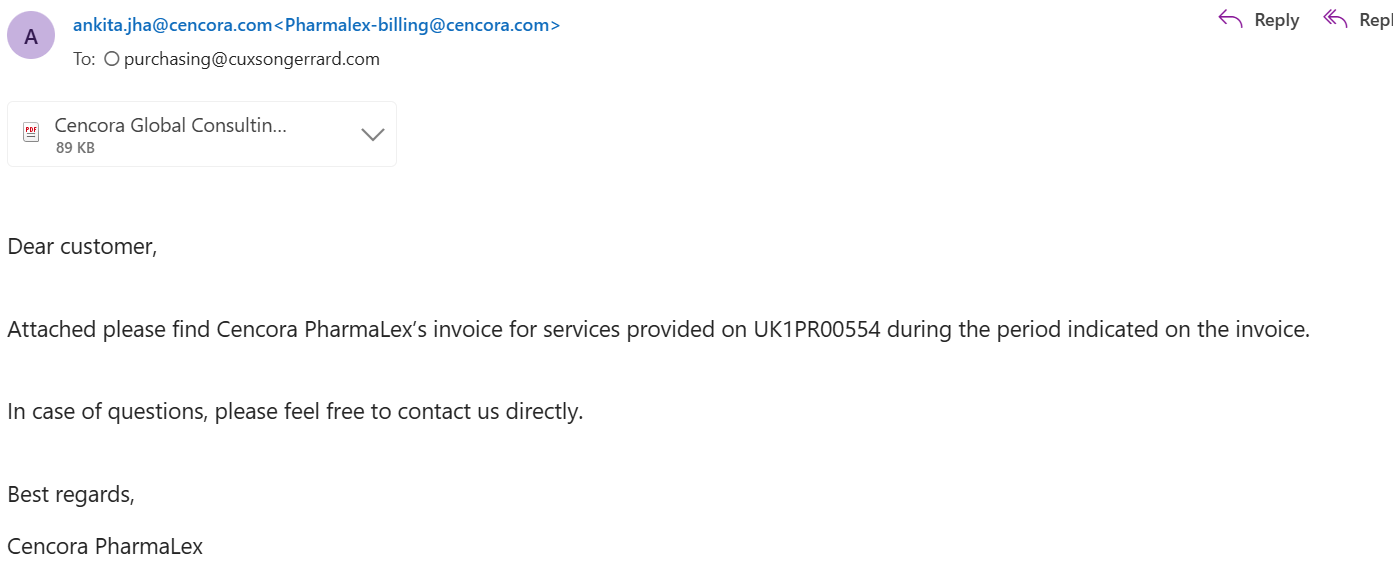
I tested the same and email is sending.

I added my email Id to check. Please find below the screenshot.

Hi @ankitajha,

ould you please send me a meeting invite so I can join and see the demo showing that SSRS print destination is working while Docentric is not?

Please use my email: amir.omanovic [at] docentric.com

please confirm if you have received meeting

Hi @ankitajha,

I received it, but the meeting is tomorrow, not today.

Could you please also prepare and confirm so we can demonstrate in the same exact scenario that the SSRS print destination is working, while the Docentric print destination is not?

Yes I tested in same scenario only edited my email ID instead of customer.

Hi @ankitajha,

Thanks for confirming that you tested it in the same scenario using the same email address for both SSRS email print destination and Docentric email print destination.

With the same setup, Docentric does not work, while SSRS works. You can also demonstrate the same tomorrow.