
Intro
When trying to deploy or delete models through Visual Studio to a UDE (Unified Development Experience) environment, you can sometimes run into a deployment error because the environment itself reports being in a bad state.
A possible quick fix is to try and restart the AOS by toggling Administration mode off and on again from the Power Platform admin center (PPAC).
The Problem
When deploying (or deleting) models through Visual Studio to the UDE environment, the operation is aborted with the following error:
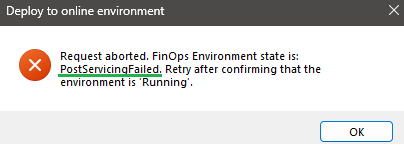
Request aborted. FinOps Environment state is: PostServicingFailed.
Retry after confirming that the environment is 'Running'.
The environment still looks fine from the PPAC side, though:
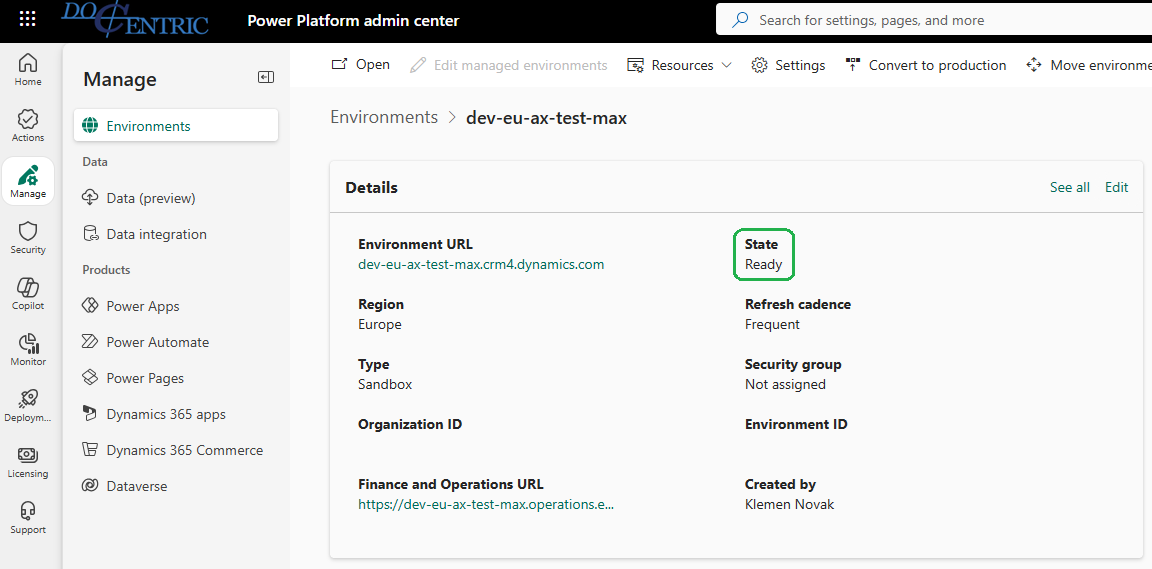
State shows Ready, but the environment is actually stuck in PostServicingFailed underneath, which is why Visual Studio refuses to deploy or delete models against it.
The Fix
-
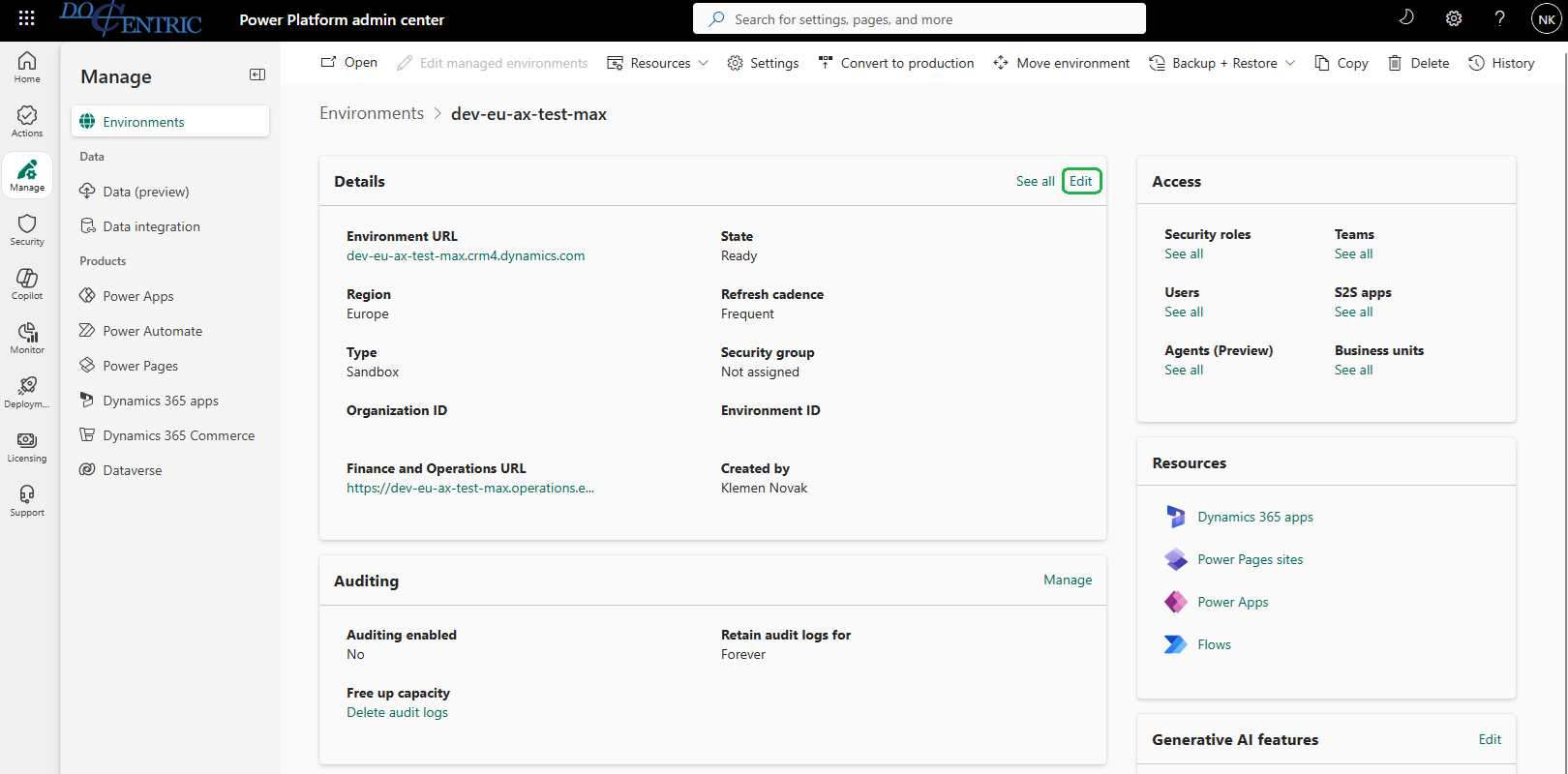
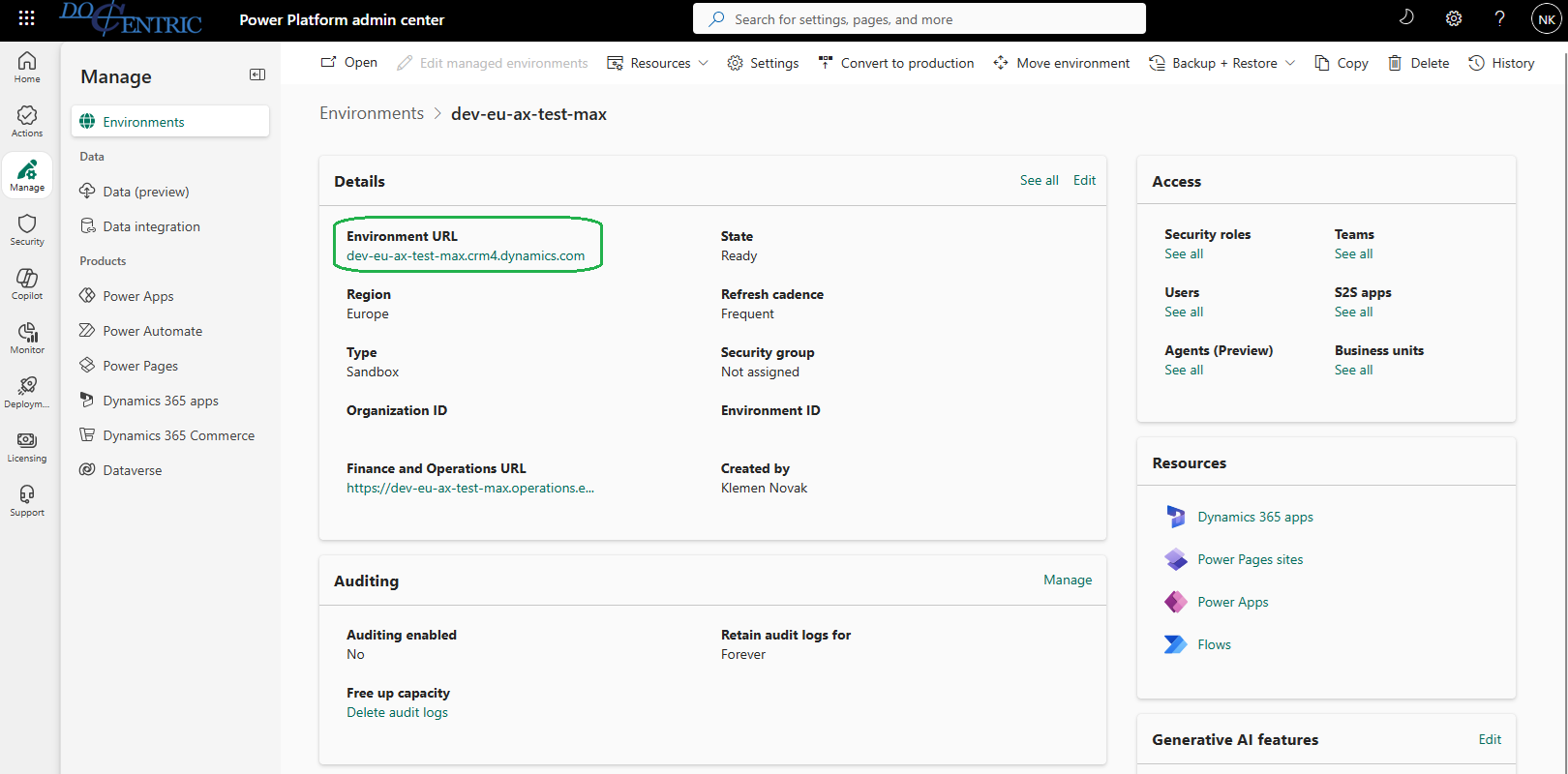
In PPAC, go to Environments, select the affected environment, and click Edit on the Details section:
-
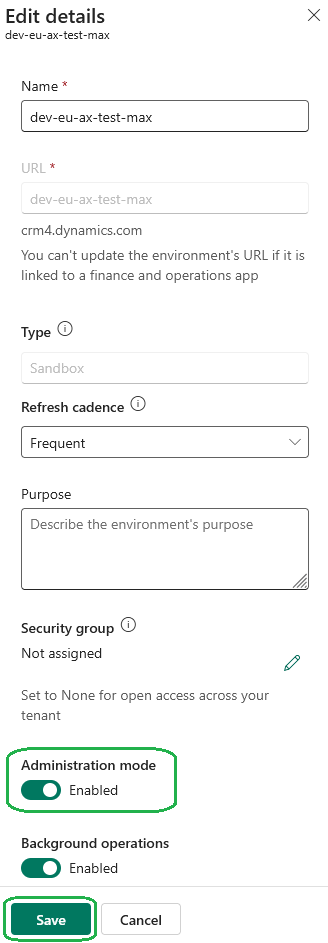
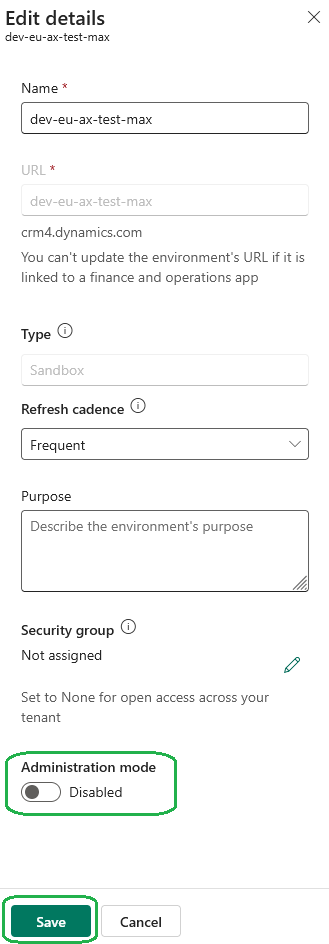
Turn Administration mode On, then click Save:
-
After the new settings are saved, go back into Edit details and turn Administration mode back Off, then Save again:
-
To confirm the environment actually picked these operations up, open the environment by clicking its Environment URL on the Details page:
-
From the Apps list, open Finance and Operation Package Manager:
-
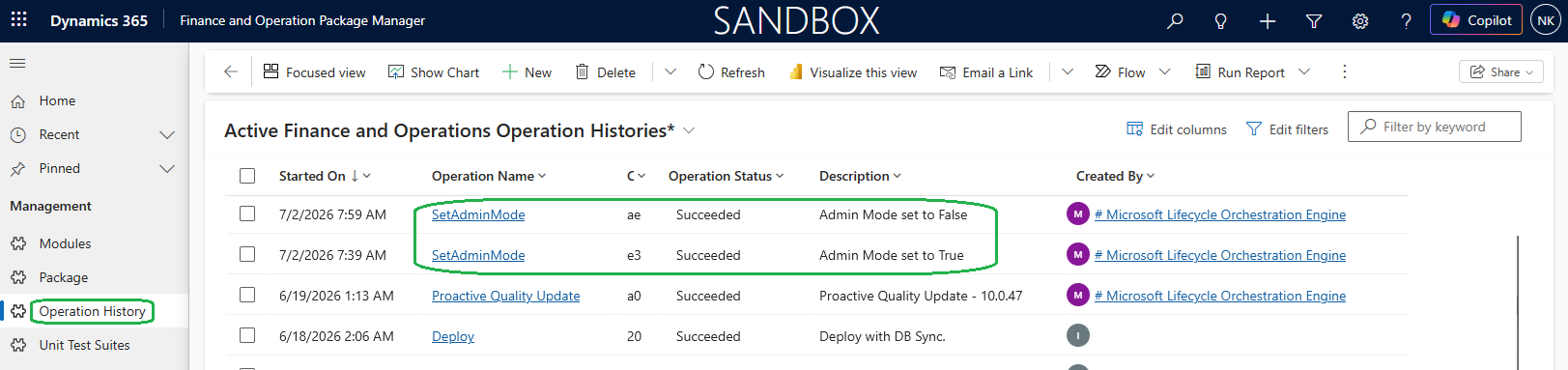
Go to Operation History and look for the two SetAdminMode entries - one with Admin Mode set to True and the other with Admin Mode set to False:

Once both SetAdminMode operations complete successfully, retry the deploy (or delete) from Visual Studio - it should no longer be blocked by the PostServicingFailed state.