
Let’s say you’re working with the Collection Letter report, and your report data source looks something like this:
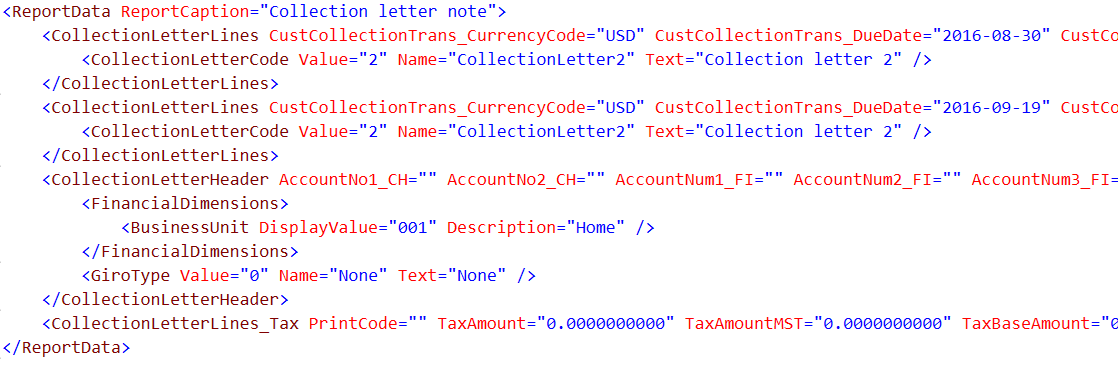
Now, you have a requirement to show the value from the Text field, but only from the CollectionLetterLines/CollectionLetterCode record with the highest Value field.
The first approach you might think of is the classic developer approach - first, iterate through a list of CollectionLetterCode records and one by one, compare the @ValueValue field with the previously stored value in the Var tagging element named ‘max’. The value stored in the max variable is initially set to 0, but is updated when a higher value is encountered in the list. When the iteration through the list is finished, the max variable contains the hig@Valueest @Value**.**
Next, outside the List tagging element, we can use the max variable to show the corr@Textsponding @Text value with a Field tagging element bound to an expression such as:
(CollectionLetterLines/Collect@ValueonLetterCode[@Value = var-element@Textvalue(‘max’)])[1]/@Text
This will also take into account that there might be multiple values that are the highest, so we take the first using the ‘[1]’ notation.
But there is a simpler and more efficient way, which is by using a List tagging element and its Sort property.
Here are the steps:
-
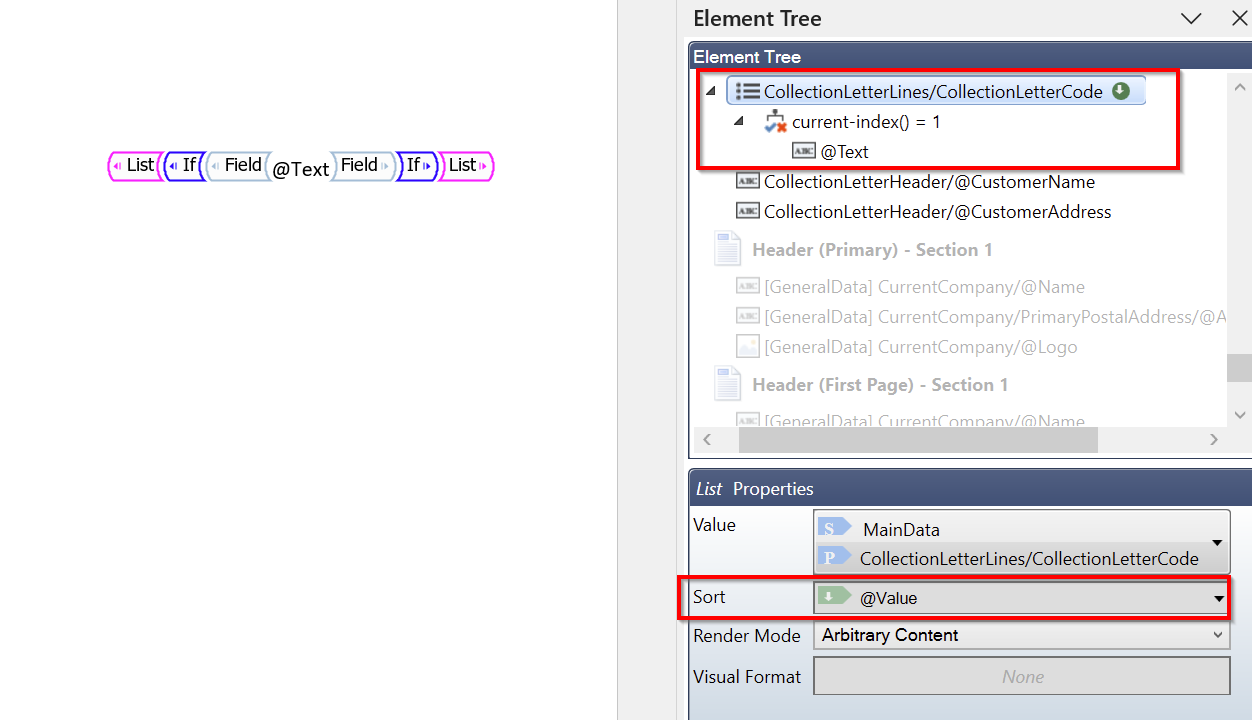
Add a List tagging element bound to the CollectionLetterC@Valuede records, sorted by @Value in DESCENDING order.
-
Within the List tagging element, add an IF tagging element bound to the condition:
current-index() = 1
to show only the content from the first record.
- Within the IF tagging element, add a Field tagging element, bound to the @Text field.
This approach avoids manual iteration and variable handling, resulting in simpler and more efficient report logic.