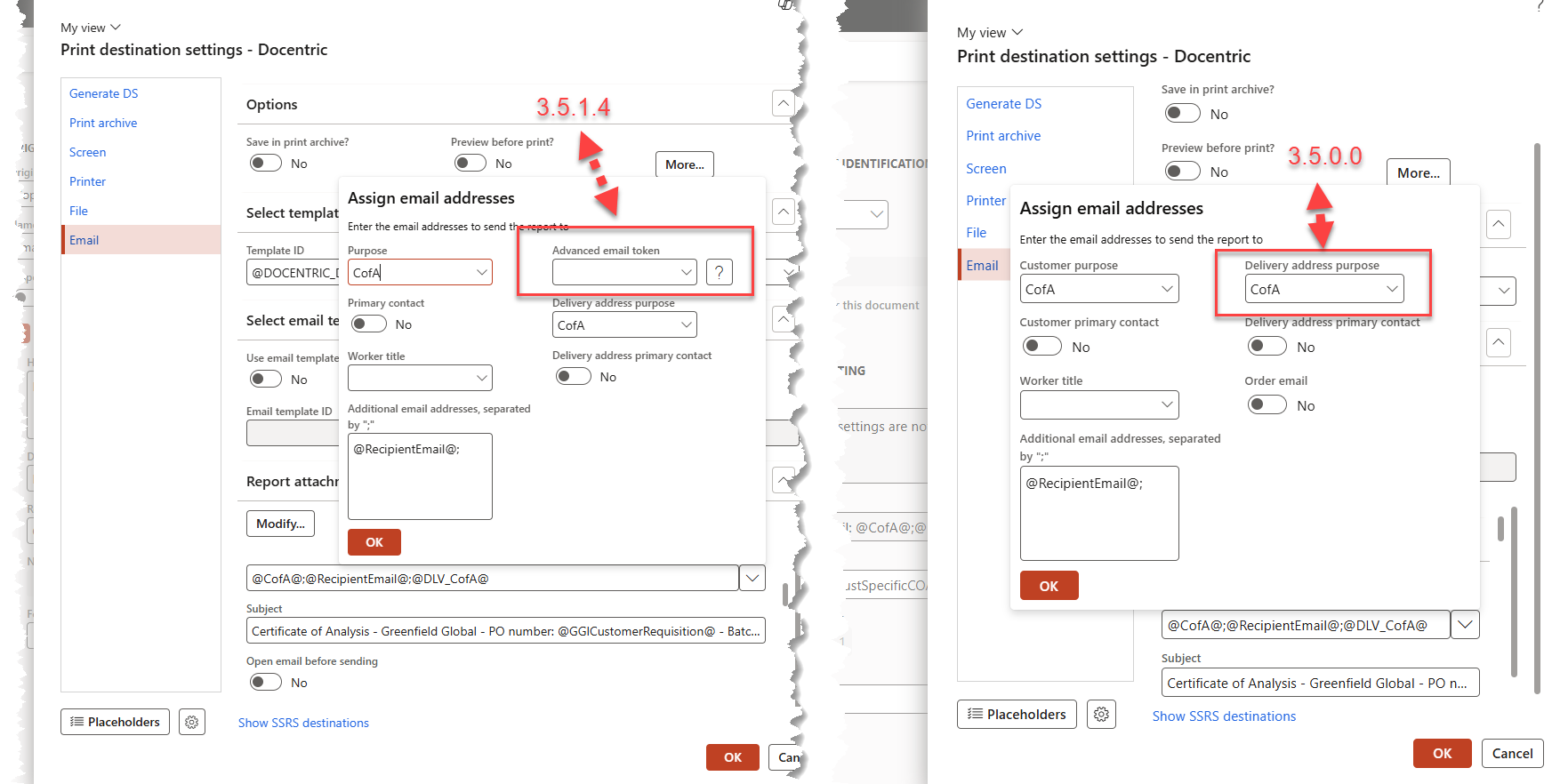
Hi, we a custom DSP that has two placeholders @CofA@ @DLV_CofA@. The placeholders populate an email address on the ‘TO’ line of an email. In some cases we have a value for @DLV_CofA@. After an update to D365 F&O 10.0.48 and Docentric 3.5.1.4 we now see a warning message indicating correctly that we don’t have a value for @DLV_Cofa@.
Is there a way to suppress this warning or do we need to go back to the custom DSP and combine the two placeholders into one?
We did some more investigation and it is looking like the new changes to support advanced email tokens are potentially causing the issue - compare the forms for 3.5 with 3.5.4.1
While support for Advanced Email Tokens was introduced in newer versions, it doesn’t appear that your current configuration is actually using the Advanced Email Tokens.
So I wouldn’t expect the new feature itself to be responsible.
As a test, could you try temporarily removing @DLV_CofA@ from the recipient field and leaving only @CofA@?
Yes, removing the @DLV_CofADLV_CofA@ results in no warning on 3.5.1.4
Has there been any validation added in 3.5.1.4, as the warning is technically correct. The record we are emailing is for a sales order with a delivery address that does not have type ‘CofA’ but we never triggered a warning on earlier releases when printing.
Docentric reserves the DLV_ prefix for built-in Delivery Address email tokens.
For example, @DLV_<purpose>@ resolves an email address with the specified purpose from the delivery address. The DT_ prefix is similarly reserved for Advanced Email Tokens.
Because your custom placeholder is named @DLV_CofA@, Docentric interprets it as a built-in Delivery Address token and validates it accordingly. When no matching email address with the CofA purpose exists on the delivery address, the validation produces the warning.
Could you rename the custom placeholder so that it does not start with DLV_ or DT_? This should prevent Docentric from treating it as a built-in token, and the warning should no longer appear.