Hello,
I’m receiving the following error when printing an invoice using print management.
Neither the Email destination nor the File destination works
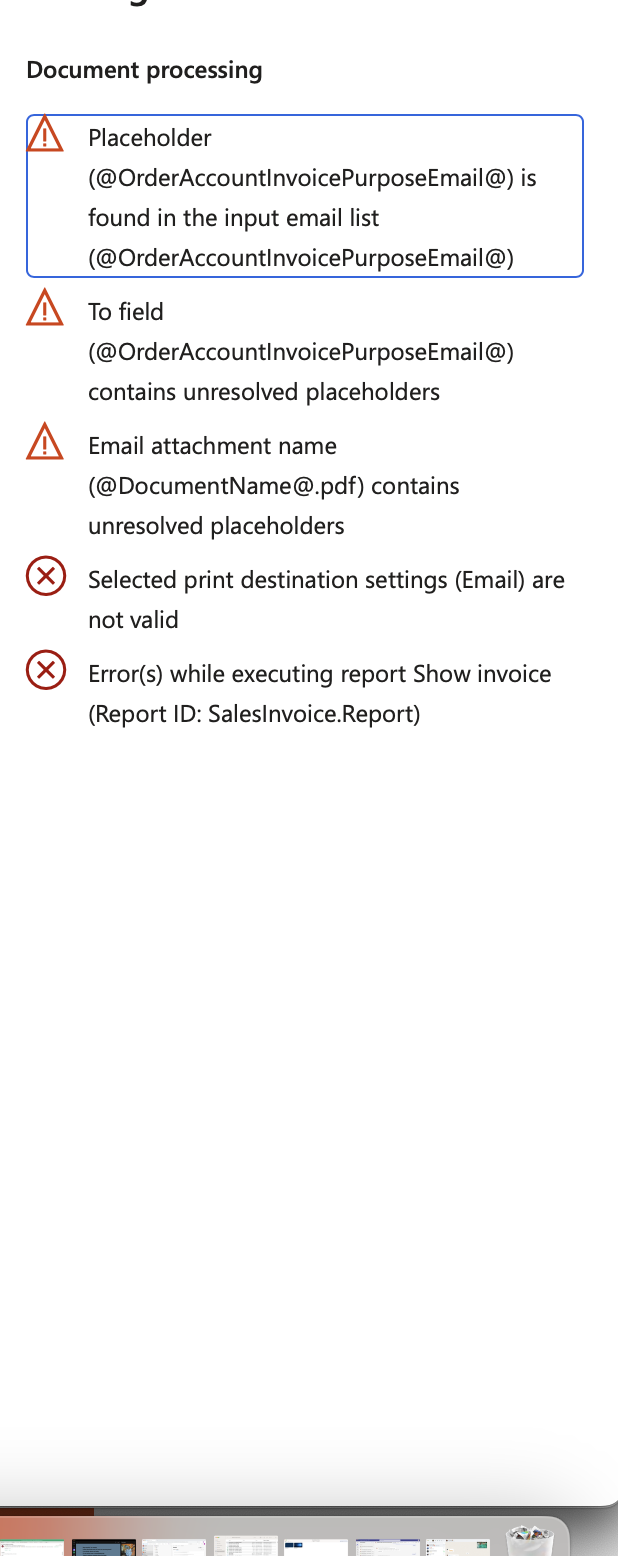

When I put my email address and a standard text in the subject it works.
Thank you

Hello,
I’m receiving the following error when printing an invoice using print management.
Neither the Email destination nor the File destination works
When I put my email address and a standard text in the subject it works.
Thank you
Hello Ima,
As the error message says, the placeholder you currently use for file naming cannot be resolved.
Most likely, the @DocumentName@ placeholder is not one of the placeholders you can use for this report. To verify, please open the setup and check the Attachment name:
Next, click the Placeholders button and verify if the placeholder you use for the attachment file name is listed:
Please let me know your findings, and we will suggest the next steps.
Hi Jernej,
The placeholder exists in the placeholders list, I copied it from there.
The others exist too
Thank you
Hello @Ima,
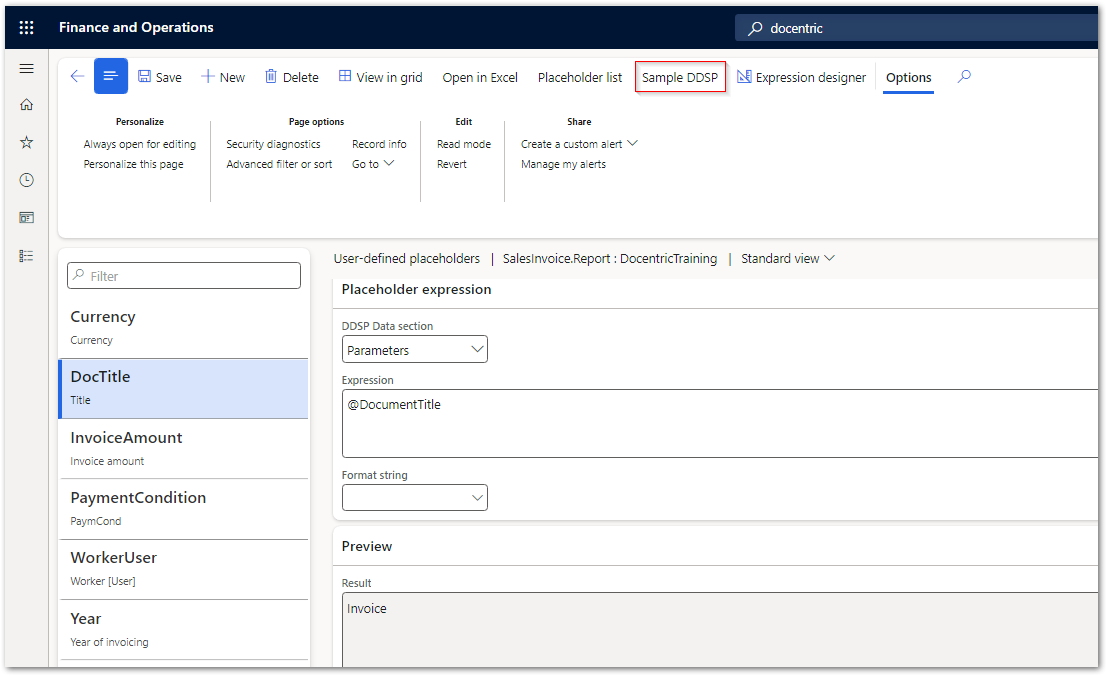
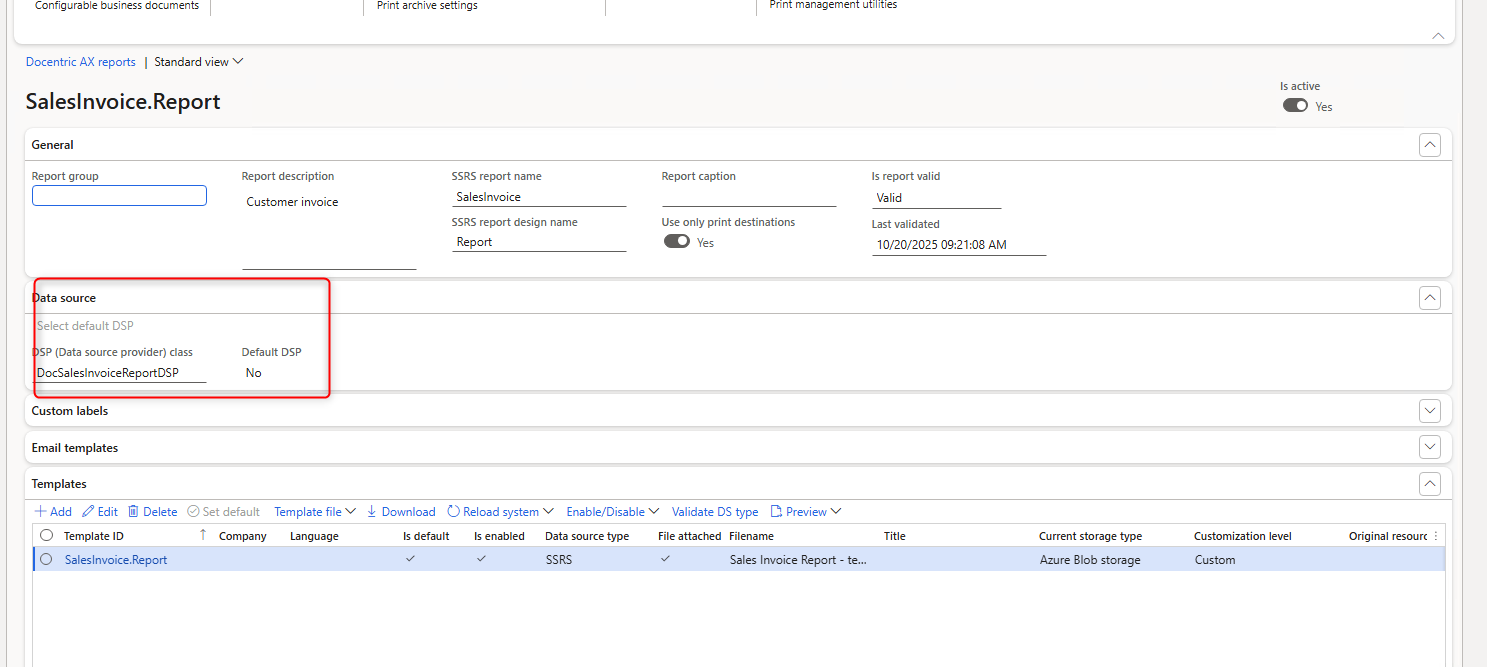
Is this placeholder one of your custom placeholders, implemented in the DSP class, or did you create a user-defined placeholder? Please send me a screenshot like this one:
Then, in case this is a user-defined placeholder (see above), we need to take a closer look at the expression you used for it. Click the button below to access the User-defined placeholders form:
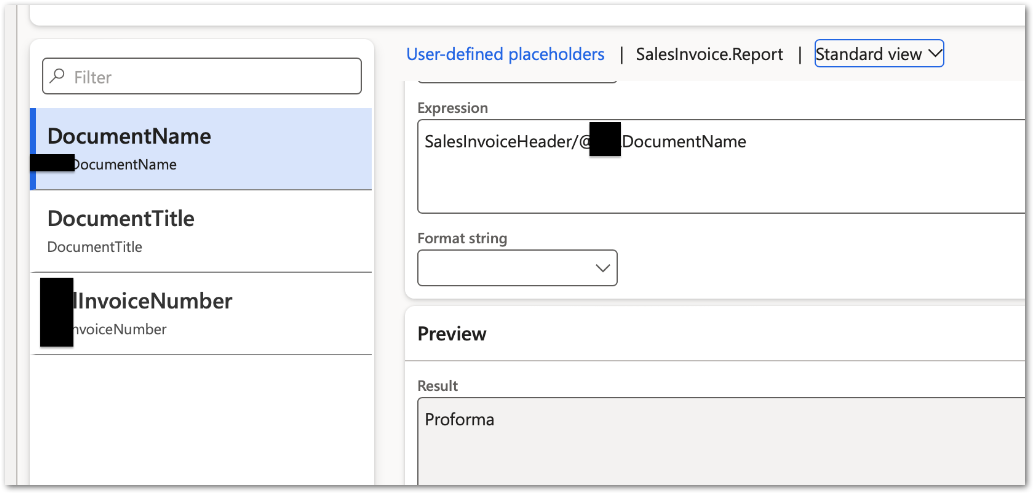
Search for @DocumentName and select it so we can see both the expression and the result (example below) and attach the screenshot:
If, on the other hand, your placeholder is a custom placeholder implemented in the DSP class, you need to talk to your developer or implementation partner to see why the placeholder does not resolve as expected.
Hello
Thank you for your reply,
some are userdefined, and others are custom placeholders
when I export the ddsp file, data is filled in these placeholders
Hello @Ima, I understand.
Please open the Print management settings and select the Email destination. Enable the setting below (1) and specify a static file name without any placeholders (2):
Next, scroll down to the Body section and insert the same placeholder in the body - example below:
Note you can access the list of placeholders via the P button above.
With the modified setup, please print the invoice that previously resulted in the error message. An eml file should download to the browser that you can open with Outlook. This allows you to verify the value of the placeholder in the body of the email.
Please attach the generated file or a screenshot of the result.
Hi @JernejV ,
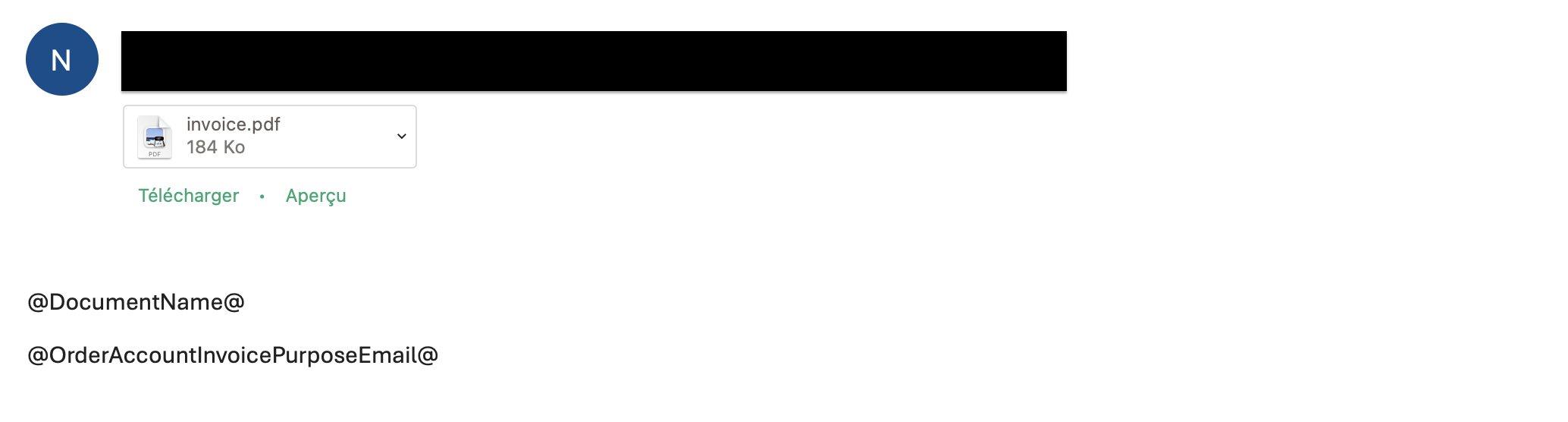
I’ve done as suggested, but it seems like the placeholders are not “converted” it only shows the name and not the value
I already thought so. Thank you for the confirmation. We now need to investigate why this is happening. Please send us the sample DDSP from this form:
Next, open the Report setup and activate the generation of the data source.
Print the report again so that a new DDSP file is generated, and send us both files. If you do not want to attach the files publicly here, I suggest sending them to support@docentric.com
In that case, please also add a link to this thread so that my colleagues can read our discussion so far. It would also be good if you sent the screenshot below without the black marks:
We will update the thread here after the case is resolved. Thank you!
Thank you @JernejV , I’ve sent an email with the requested documents.
Hi Ima,
Thank you, I can confirm we received the DDPS file. I’ll have a look and continue the correspondence in the ticket.
Hello support Team,
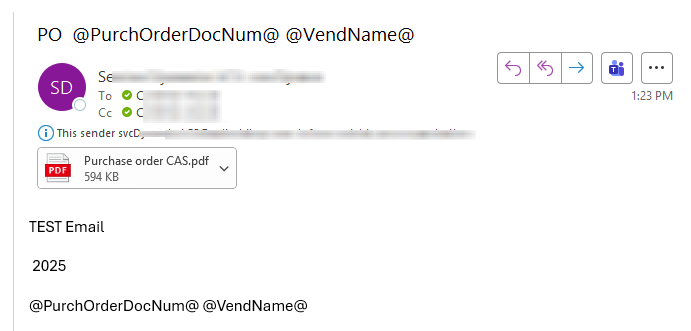
Could you please share what was the solution I have the same setup, using custom Placeholders and I have the same issue as reported. placeholders are unresolved.
Thank you.
Hi @Carolinaa,
Could you please provide a bit more information about your case? Which report are you trying to print and to which print destination?
Also, could you share how your report is set up with Docentric? For example, which DSP class are you using there?
Thank you!
Thank you so much Amir, for your quick response.
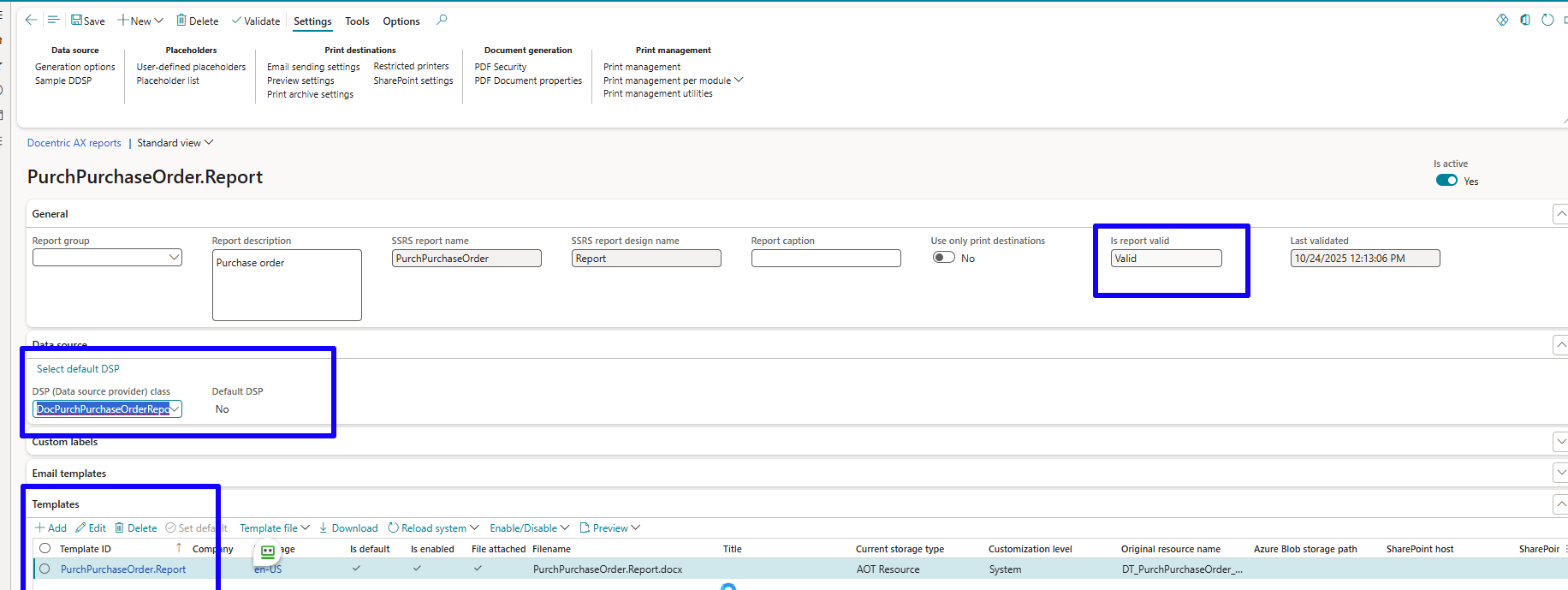
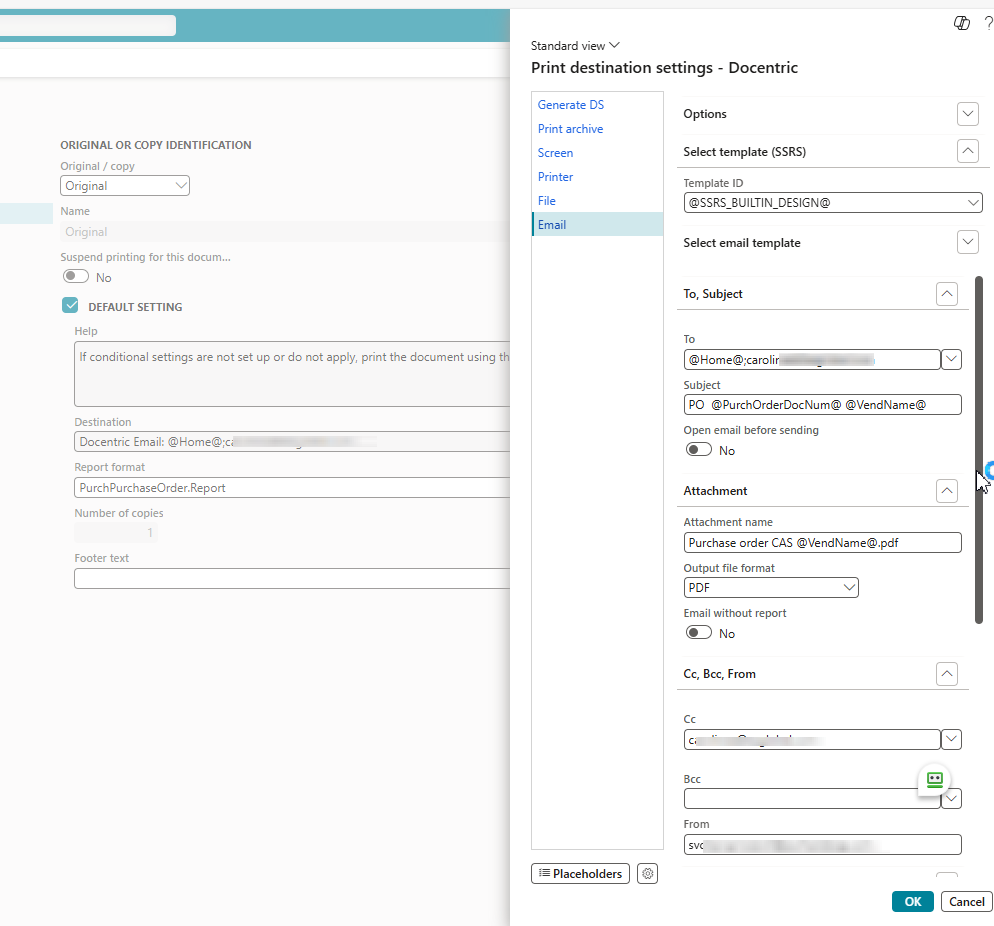
Sure, I am trying to setup Docentric Email- using print management for Purchase Order confirmation.
Docentric -Free version
DSP: DocPurchPurchaseOrderReportDSP
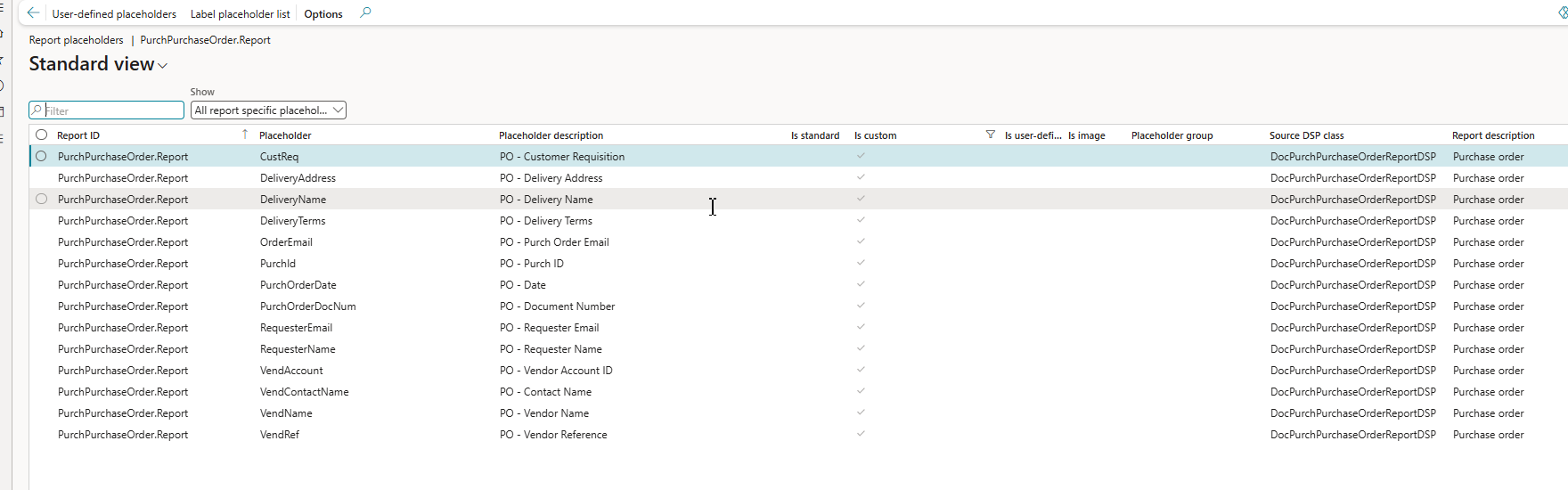
Placeholders: Custom
Below the Screenshots for the setup:
Results with the Attachment name with placeholder:
Results if I delete the Attachment placeholder:
Appreciate your assistance and guidance.
Thank you.
Hi @Carolinaa,
Based on the images you sent, you have a custom SSRS report called PVI_PurchPurchaseOrder.Report, but the configuration you showed is for PurchPurchaseOrder.Report.
Please register PVI_PurchPurchaseOrder.Report in the Docentric reports table, configure it there, and then try again.
That Works!!!, thank you so much for your help and prompt response.